CRM and marketing automation integration is no longer optional in 2026. Businesses that still manage customer data and campaigns separately are losing leads, wasting budget, and missing revenue opportunities.
By connecting a CRM system with marketing automation tools, you create a unified flow of data that allows you to track every interaction, personalize campaigns at scale, and move prospects through the funnel with precision.
In this guide, you’ll learn how this integration works, the tools you can use, the real business benefits, and a step-by-step process to implement it effectively—so you can increase conversions, improve efficiency, and maximize your marketing ROI.
What Is CRM and Marketing Automation Integration
CRM and marketing automation integration is the process of connecting your CRM system (where customer data and sales activity live) with your marketing automation platform (where campaigns, emails, and lead nurturing happen) so both systems share data in real time.
Instead of working in silos, this integration creates a single, synchronized environment where customer data, behavior, and interactions flow continuously between marketing and sales.
For example, when a user fills out a form or clicks an email:
- Their data is automatically stored in the CRM
- Their behavior triggers actions inside the marketing automation system
- The sales team can see updated activity instantly and act at the right moment
This means you’re no longer guessing where a lead is in the funnel. You have a complete, real-time view of the customer journey.
At a technical level, integration can happen through:
- Native integrations (built-in connections between platforms)
- APIs (custom data synchronization)
- Automation tools (like middleware that connects multiple apps)
The result is a system where:
- Marketing sends more targeted and personalized campaigns
- Sales works with qualified and context-rich leads
- Businesses improve conversion rates and operational efficiency
In simple terms, CRM and marketing automation integration turns disconnected tools into a coordinated growth engine focused on closing more deals with less manual work.
Why It Matters: Problems It Solves and Results It Delivers
Without CRM and marketing automation integration, most businesses operate with fragmented data, delayed follow-ups, and inefficient campaigns. This directly impacts conversion rates, customer experience, and overall revenue growth.
Integrating both systems solves critical operational and financial problems while delivering measurable results.
Problems It Solves
- Disconnected data and lack of visibility
Marketing and sales teams often work with different datasets. Integration creates a single source of truth, ensuring both teams see the same customer information in real time. - Lost or poorly managed leads
Without automation, leads can sit unattended or get lost. Integration ensures every lead is captured, tracked, and assigned automatically, reducing leakage in the funnel. - Slow and inconsistent follow-ups
Manual processes delay responses. With integration, actions like email sequences, notifications, or task assignments are triggered instantly based on user behavior. - Poor lead qualification
Sales teams waste time on low-quality prospects. Integrated systems enable lead scoring and behavioral tracking, helping prioritize high-intent leads. - Generic, low-converting campaigns
Without CRM data, campaigns lack personalization. Integration allows you to build segmented and behavior-driven campaigns that convert better.
Results It Delivers
- Higher conversion rates
By aligning data and automating follow-ups, businesses can move leads faster through the funnel and close more deals. - Better marketing ROI
Campaigns become more precise and data-driven, reducing wasted spend and improving return on investment. - Improved sales efficiency
Sales teams receive qualified leads with full context, allowing them to focus on high-value opportunities instead of manual prospecting. - Personalized customer journeys at scale
You can automate highly relevant interactions based on user behavior, increasing engagement and trust. - Faster decision-making
With unified data, you gain access to real-time insights and performance metrics, enabling quicker and smarter business decisions.
In practical terms, CRM and marketing automation integration transforms scattered processes into a streamlined system that captures more leads, nurtures them effectively, and converts them into revenue with less manual effort.
How CRM Systems Use Data to Improve Marketing Automation
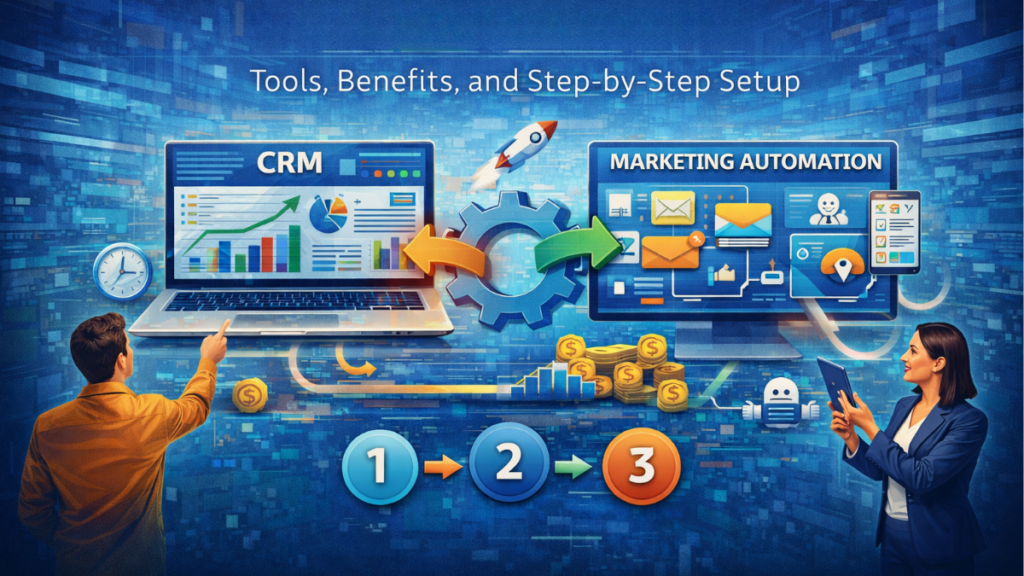
CRM systems are the central hub of customer data, and when connected to marketing automation, they turn raw information into actionable insights that drive smarter campaigns and higher conversions.
The key advantage is not just storing data, but using it to automate decisions, personalize communication, and optimize the entire customer journey.
1. Behavioral Data Triggers Automated Actions
CRM systems track interactions such as website visits, email clicks, form submissions, and purchase history. This behavioral data allows marketing platforms to trigger actions automatically.
- Visited pricing page → trigger a high-intent email sequence
- Downloaded a resource → enroll in a lead nurturing workflow
- Inactive for 30 days → send a re-engagement campaign
This ensures that every interaction leads to a timely and relevant response, increasing engagement and conversions.
2. Segmentation Based on Real Customer Data
With CRM integration, you can segment audiences using demographic data, behavior, and deal stage, instead of relying on generic lists.
- New leads vs returning users
- High-value customers vs low spenders
- Users stuck in a specific stage of the funnel
This enables targeted campaigns that speak directly to each segment, improving open rates, click-through rates, and overall marketing performance.
3. Lead Scoring and Qualification
CRM data allows you to assign scores based on actions and attributes, creating a lead scoring system that identifies high-intent prospects.
- Email engagement → increases score
- Multiple page visits → signals interest
- Job title or company size → adds qualification weight
Once a lead reaches a threshold, the system can automatically:
- Notify the sales team
- Assign the lead to a representative
- Move the contact into a sales-ready pipeline
This reduces wasted time and increases close rates.
4. Personalization at Scale
Using CRM data, marketing automation tools can deliver personalized content based on each user’s profile and behavior.
- Dynamic email content based on interests
- Product recommendations based on past activity
- Custom offers depending on lifecycle stage
This level of personalization increases engagement, trust, and revenue per user.
5. Lifecycle-Based Automation
CRM systems track where each contact is in the funnel, allowing automation to adapt to the customer lifecycle.
- Top of funnel → educational content
- Middle of funnel → case studies and comparisons
- Bottom of funnel → demos, offers, and sales outreach
This ensures users receive the right message at the right time, improving progression through the funnel.
6. Continuous Optimization Through Data Feedback
Every campaign generates data that flows back into the CRM, creating a feedback loop for optimization.
- Identify which campaigns generate qualified leads
- Track which channels produce actual revenue
- Adjust automation workflows based on performance
This allows you to refine strategies continuously and maximize marketing ROI.
In practice, CRM-driven marketing automation replaces guesswork with data-backed decisions, enabling businesses to automate smarter, personalize deeper, and convert more efficiently.
Best Tools for CRM and Marketing Automation Integration in 2026
Choosing the right CRM and marketing automation tools directly impacts how efficiently you capture, nurture, and convert leads. In 2026, the best platforms are those that combine data synchronization, automation workflows, and multi-channel execution in a single ecosystem or through strong integrations.
Below are the most effective tools based on performance, scalability, and real business use cases.
1. HubSpot (Best All-in-One Platform)
HubSpot is one of the most complete solutions, combining CRM, marketing automation, sales, and customer service in a single platform.
- Unified database for all customer interactions
- Advanced automation workflows and lead nurturing
- Built-in tools for email, landing pages, and analytics
- Strong integration ecosystem (2,000+ apps)
It’s ideal for businesses that want a single source of truth without relying on multiple tools, although costs increase significantly as you scale.
2. ActiveCampaign (Best for Advanced Automation)
ActiveCampaign stands out for its powerful automation engine and deep segmentation capabilities.
- Visual automation builder with complex logic
- Behavior-based triggers across email, SMS, and more
- Strong lead scoring and customer journey mapping
- High deliverability and personalization features
It’s a top choice for businesses focused on email marketing, lifecycle automation, and conversion optimization, especially with a lower cost than enterprise tools.
3. Salesforce + Marketing Cloud (Best for Enterprise)
Salesforce combined with Marketing Cloud offers one of the most advanced ecosystems for large-scale operations.
- Highly customizable CRM with deep data capabilities
- AI-driven insights and predictive analytics
- Advanced multi-channel automation (email, ads, SMS)
- Scalable for complex sales and marketing teams
This setup is ideal for enterprises that need full control, customization, and advanced reporting, but it requires higher investment and technical setup.
4. Brevo (Best Budget-Friendly Option)
Brevo (formerly Sendinblue) is a strong option for startups and small businesses looking for cost-effective marketing automation with CRM capabilities.
- Email marketing + transactional messaging
- Built-in CRM features for contact management
- Automation workflows at a lower cost
- Easy setup with minimal technical complexity
It’s ideal if you want to start with automation without a high upfront investment.
5. Freshworks (Best for Simplicity + AI Automation)
Freshworks (including Freshsales and Freshmarketer) offers a balanced solution with ease of use and AI-driven automation.
- Unified customer data across sales and marketing
- AI assistant for lead scoring and workflows
- Fast implementation (often under 48 hours)
- Affordable compared to enterprise platforms
It’s a strong choice for businesses that want quick deployment and solid automation without complexity.
6. Zoho CRM + Zoho Marketing Automation (Best for Customization)
Zoho provides a flexible ecosystem with strong integration between its CRM and marketing automation tools.
- Advanced customization and workflows
- Cost-effective compared to competitors
- Wide suite of business apps (email, analytics, sales)
- Good balance between features and pricing
It’s ideal for businesses that want control and scalability without enterprise pricing.
7. Pipedrive + Integrations (Best for Sales-Focused Teams)
Pipedrive is primarily a sales CRM, but when combined with marketing automation tools, it becomes a powerful integration stack.
- Simple and visual sales pipeline management
- Easy to use and quick onboarding
- Works well with automation tools via integrations
Best for teams that prioritize sales execution and want to add automation without overcomplicating their stack.
Key Takeaway
There is no single “best” tool—only the one that fits your business model.
- All-in-one solution → HubSpot
- Automation depth → ActiveCampaign
- Enterprise scalability → Salesforce
- Low cost → Brevo / Zoho
- Ease of use → Freshworks
The most important factor is not the tool itself, but how well it supports your CRM and marketing automation integration strategy to generate leads, automate follow-ups, and increase revenue.
Step-by-Step Setup Guide + Best Practices
Implementing CRM and marketing automation integration correctly is what separates a system that generates revenue from one that just sends emails. The goal is to build a data-driven workflow that captures leads, nurtures them, and converts them efficiently.
Step 1: Define Your Funnel and Conversion Goals
Before connecting any tools, you need clarity on how your sales funnel works.
- What defines a qualified lead?
- What actions indicate buying intent?
- When should a lead be passed to sales?
This ensures your automation is aligned with real business outcomes, not just activity.
Best practice: Map your funnel into clear stages (lead → qualified → opportunity → customer) and define triggers for each transition.
Step 2: Clean and Structure Your Data
Integration will only be as good as your data. Messy data leads to broken automation and poor targeting.
- Remove duplicate contacts
- Standardize fields (name, email, company, etc.)
- Define required properties for segmentation
Best practice: Create a data structure that supports segmentation, lead scoring, and personalization from the start.
Step 3: Connect Your CRM and Marketing Automation Tool
Now connect both systems using the most reliable method available.
- Native integrations (recommended for stability)
- APIs (for custom setups)
- Middleware tools (for multi-platform workflows)
Ensure that key data points sync in real time:
- Contact information
- Lifecycle stage
- Behavioral activity
- Deal status
Best practice: Use two-way sync whenever possible to avoid data gaps between systems.
Step 4: Set Up Lead Capture and Tracking
Your system needs to capture and track every interaction.
- Forms (landing pages, popups)
- Email engagement
- Website behavior (page visits, clicks)
This data feeds your automation and enables behavior-based marketing.
Best practice: Track high-intent pages (pricing, demo, product) to trigger stronger sales actions.
Step 5: Build Automation Workflows
Create workflows that move leads through the funnel automatically.
- Welcome sequences for new leads
- Lead nurturing campaigns
- Re-engagement flows
- Sales handoff triggers
Each workflow should be tied to a specific goal: educate, qualify, or convert.
Best practice: Keep workflows simple at first, then optimize based on performance data.
Step 6: Implement Lead Scoring and Segmentation
Use your CRM data to prioritize leads and personalize campaigns.
- Assign scores based on behavior and attributes
- Segment users by interest, stage, or value
This ensures sales focuses on high-intent prospects and marketing sends relevant content.
Best practice: Set a clear threshold where a lead becomes sales-qualified and triggers handoff.
Step 7: Align Sales and Marketing Processes
Integration fails when teams are not aligned.
- Define when leads are passed to sales
- Set expectations for follow-up time
- Create feedback loops between teams
Best practice: Use CRM data to track conversion from lead to deal and identify bottlenecks.
Step 8: Test, Measure, and Optimize
Once everything is running, focus on performance.
- Conversion rates by stage
- Email engagement metrics
- Lead-to-customer ratio
- Revenue generated per campaign
Use this data to refine your automation workflows and improve results over time.
Best practice: Continuously run A/B tests on emails, timing, and triggers to increase ROI.
Key Takeaway
A successful CRM and marketing automation setup is not about connecting tools—it’s about building a system that captures intent, responds instantly, and drives conversions with minimal manual work.
Common Integration Challenges and How to Solve Them
Even the best CRM and marketing automation integration can fail if common implementation issues are not addressed early. Most problems are not technical—they come from poor data, unclear processes, or lack of alignment.
Below are the most frequent challenges and how to solve them effectively.
1. Data Inconsistency and Duplicates
When systems sync without proper structure, you end up with duplicate contacts, missing fields, and unreliable data. This breaks segmentation, automation workflows, and reporting.
How to solve it:
- Implement data validation rules in both systems
- Use unique identifiers (email or user ID)
- Run regular data cleaning processes
Clean data is essential for accurate targeting and higher conversion rates.
2. Poor Sync Between Systems
Incomplete or delayed synchronization leads to outdated information, causing missed opportunities and incorrect automation triggers.
How to solve it:
- Enable real-time or near real-time sync
- Prioritize two-way synchronization
- Audit which fields are being synced and why
This ensures both marketing and sales always work with up-to-date customer data.
3. Overcomplicated Automation Workflows
Many businesses build complex workflows too early, making them hard to manage and optimize. This leads to errors and low performance.
How to solve it:
- Start with simple workflows tied to clear goals
- Focus on high-impact sequences (welcome, nurturing, sales triggers)
- Scale complexity only after analyzing performance data
Simplicity improves reliability and makes optimization easier.
4. Misalignment Between Marketing and Sales
If both teams don’t agree on definitions and processes, leads are either ignored or followed up incorrectly.
How to solve it:
- Define what qualifies as a marketing qualified lead (MQL) and sales qualified lead (SQL)
- Set clear rules for lead handoff
- Create feedback loops using CRM data
This alignment directly impacts close rates and revenue.
5. Lack of Proper Tracking and Attribution
Without proper tracking, you won’t know which campaigns generate revenue, making it impossible to optimize your marketing ROI.
How to solve it:
- Track all key touchpoints (emails, pages, conversions)
- Use UTM parameters and campaign tagging
- Connect revenue data back to campaigns in the CRM
This allows you to invest in what actually drives profitable growth.
6. Low User Adoption
Even with the right setup, systems fail if teams don’t use them properly. Incomplete data and inconsistent usage break automation.
How to solve it:
- Train teams on how to use the CRM system and automation tools
- Simplify interfaces and workflows
- Automate repetitive tasks to reduce manual input
High adoption ensures consistent data and better results.
7. Choosing the Wrong Tools
Some businesses pick tools that don’t fit their needs, leading to poor integration, limited scalability, or unnecessary complexity.
How to solve it:
- Match tools to your business model and growth stage
- Prioritize integration capabilities and scalability
- Avoid overpaying for features you won’t use
The right tools make integration easier and more profitable.
Key Takeaway
Most CRM and marketing automation challenges come from poor planning, not technology. By focusing on clean data, simple workflows, team alignment, and proper tracking, you can build an integration that runs smoothly and drives consistent revenue growth.
Real-World Examples
Understanding CRM and marketing automation integration becomes clearer when you see how it works in real scenarios. These examples show how businesses use data, automation, and synchronization to generate leads, conversions, and revenue.
1. SaaS Company: Converting Free Trial Users into Paying Customers
A SaaS business uses its CRM system and marketing automation platform to track user behavior during a free trial.
- User signs up → automatically added to CRM
- Product usage tracked (features used, login frequency)
- Low activity → triggers onboarding email sequence
- High activity → triggers upgrade-focused campaign
When a user reaches a high lead score, the system:
- Notifies sales
- Creates a deal in the CRM
- Triggers a personalized demo offer
Result: Higher trial-to-paid conversion rate and better customer onboarding.
2. E-commerce Business: Increasing Repeat Purchases
An e-commerce store integrates its CRM with automation tools to track purchase behavior and customer preferences.
- Customer buys a product → data stored in CRM
- System segments users by purchase category
- Automation sends personalized product recommendations
- Inactive customers receive re-engagement campaigns
Additional triggers include:
- Abandoned cart → recovery email sequence
- Repeat buyer → loyalty or upsell campaigns
Result: Increased customer lifetime value (CLV) and higher repeat purchase rate.
3. B2B Service Company: Improving Lead Qualification and Sales Efficiency
A B2B company uses integration to manage inbound leads from multiple channels (ads, content, forms).
- Lead enters through a form → automatically stored in CRM
- Behavior tracked (pages visited, content downloaded)
- Lead scoring system ranks prospects
When a lead reaches a qualification threshold:
- It is marked as sales-qualified
- Assigned to a sales representative
- Follow-up tasks are created automatically
Leads that are not ready are kept in nurturing workflows until they show intent.
Result: Sales teams focus only on high-quality leads, improving close rates and reducing wasted time.
4. Local Business: Automating Lead Follow-Up
A local service business (real estate, clinics, agencies) integrates CRM and automation to avoid losing leads.
- Lead submits a contact form → instantly added to CRM
- Automatic email + SMS confirmation sent
- Reminder sequences scheduled if no response
- Sales team receives notification to follow up
Result: Faster response time and more booked appointments.
5. Content-Based Website: Monetizing Traffic with Smart Segmentation
A content-driven site uses CRM and marketing automation to segment users based on interests and behavior.
- User downloads a guide → tagged by topic
- Email sequences deliver related content and tools
- High-intent users receive offers (SaaS, affiliates)
This allows the site to:
- Promote relevant tools at the right time
- Increase affiliate conversions
- Maximize RPM through better targeting
Result: Higher revenue per visitor without increasing traffic.
Key Takeaway
These examples show that CRM and marketing automation integration is not just a technical setup—it’s a system that adapts to different business models to capture intent, automate engagement, and drive consistent revenue growth.
How to Choose the Right Tools for Your Business
Choosing the right CRM and marketing automation tools is not about picking the most popular platform—it’s about selecting the stack that aligns with your business model, sales process, and growth goals.
A wrong decision leads to wasted budget, poor integration, and low ROI. A correct one creates a scalable system that drives leads, conversions, and revenue.
1. Define Your Business Model and Funnel Complexity
The right tools depend on how your business generates and converts leads.
- Simple funnel (local business, small teams) → need easy setup and basic automation
- Mid-level funnel (SaaS, e-commerce) → require segmentation, lead scoring, and multi-step workflows
- Complex funnel (B2B, enterprise) → need advanced customization, reporting, and integrations
Key insight: The more complex your funnel, the more powerful (and flexible) your tools need to be.
2. Evaluate Integration Capabilities
Your tools must connect seamlessly with your existing stack.
- Native integrations with key platforms (ads, email, analytics)
- API access for custom workflows
- Compatibility with automation tools and third-party apps
Best practice: Prioritize tools that support real-time data synchronization and two-way sync to avoid data gaps.
3. Focus on Automation Depth (Not Just Features)
Many platforms list automation features, but not all offer true flexibility.
- Can you build behavior-based workflows?
- Does it support conditional logic?
- Can you trigger actions across multiple channels?
Key insight: Strong automation capabilities directly impact your ability to scale without increasing workload.
4. Analyze Data and Reporting Capabilities
To maximize marketing ROI, you need clear visibility into performance.
- Track lead sources and campaign performance
- Measure conversion rates across the funnel
- Connect marketing efforts to actual revenue
Best practice: Choose tools that allow end-to-end attribution, not just basic metrics.
5. Consider Ease of Use and Team Adoption
A powerful tool is useless if your team doesn’t use it.
- Simple interface and onboarding
- Clear workflow builder
- Minimal technical dependency
Key insight: High user adoption leads to better data quality and more effective automation.
6. Align with Your Budget and Growth Stage
Costs can increase significantly as your database and usage grow.
- Entry-level tools → lower cost, limited features
- Mid-tier tools → balanced cost and functionality
- Enterprise tools → high cost, maximum scalability
Best practice: Choose a platform that can scale with your business without forcing an early migration.
7. Look for Monetization Opportunities
If your goal is to maximize RPM and revenue, your tools should support monetization strategies.
- Advanced segmentation for targeted offers
- Integration with SaaS tools and affiliate platforms
- Automation for upsells, cross-sells, and retention
Key insight: The right tools don’t just manage data—they help you convert traffic into revenue.
Key Takeaway
The best CRM and marketing automation tools are those that fit your funnel, integrate seamlessly, and allow you to automate, analyze, and scale without friction.
Focus on functionality that drives results, not just features, and you’ll build a system that grows with your business while maximizing ROI and conversions.
Final Checklist: How to Successfully Integrate CRM and Marketing Automation
Use this checklist to ensure your CRM and marketing automation integration is not only functional, but optimized to generate leads, conversions, and revenue.
Strategy and Planning
- ☑ Defined a clear sales funnel with stages and transition triggers
- ☑ Established what qualifies as a lead, MQL, and SQL
- ☑ Set measurable goals (conversion rates, revenue, marketing ROI)
Data and Structure
- ☑ Cleaned and deduplicated your CRM data
- ☑ Standardized key fields (email, lifecycle stage, source)
- ☑ Created a structure for segmentation and personalization
Integration Setup
- ☑ Connected your CRM system and marketing automation tools
- ☑ Enabled two-way data synchronization
- ☑ Verified that all critical data points are syncing correctly
Tracking and Lead Capture
- ☑ Implemented forms, tracking scripts, and event tracking
- ☑ Identified and tagged high-intent actions (pricing views, demos, downloads)
- ☑ Set up proper campaign tracking (UTMs, sources)
Automation Workflows
- ☑ Built essential automation workflows (welcome, nurturing, re-engagement)
- ☑ Created behavior-based triggers for key actions
- ☑ Defined clear goals for each workflow (educate, qualify, convert)
Lead Management
- ☑ Implemented a lead scoring system
- ☑ Created segments based on behavior, value, and funnel stage
- ☑ Automated lead assignment and sales handoff
Sales and Marketing Alignment
- ☑ Defined when and how leads are passed to sales
- ☑ Established follow-up timelines and responsibilities
- ☑ Created feedback loops using CRM data
Performance and Optimization
- ☑ Tracking conversion rates across the funnel
- ☑ Measuring campaign performance and revenue attribution
- ☑ Running A/B tests to improve automation performance
Monetization and Growth
- ☑ Using segmentation to deliver targeted offers
- ☑ Promoting relevant SaaS tools or affiliate products
- ☑ Optimizing flows to increase customer lifetime value (CLV)
Final Validation
- ☑ All systems are working without data gaps or delays
- ☑ Teams are actively using the tools
- ☑ The system is generating measurable business results
Final insight: A successful CRM and marketing automation integration is not defined by setup, but by performance. If your system consistently captures leads, nurtures them, and converts them into revenue, you’ve built a scalable growth engine.
Written by Ana Moedano Rivera