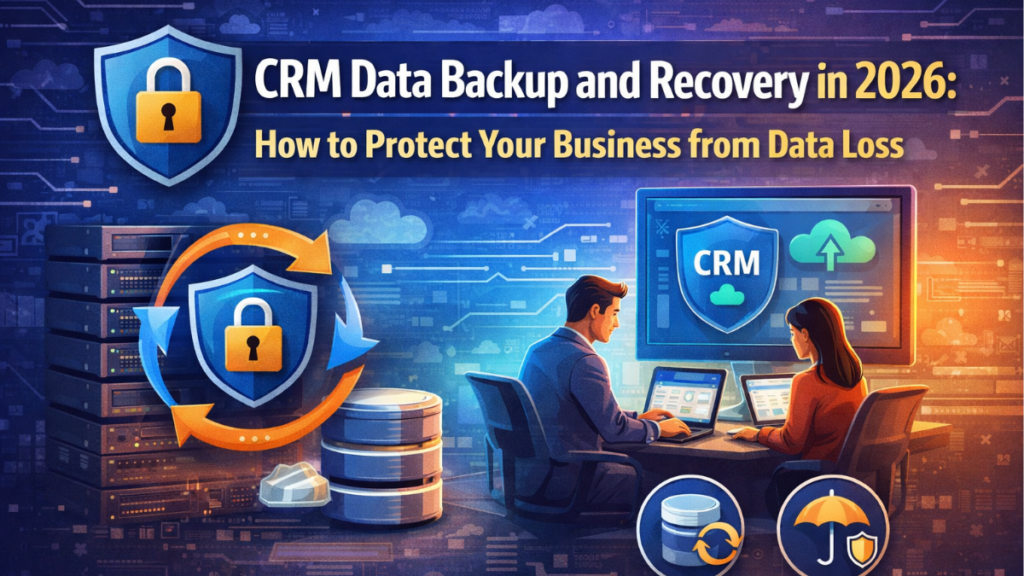
CRM data backup and recovery is no longer just an IT checkbox. In 2026, businesses depend on CRM platforms to store customer records, sales pipelines, support histories, automations, and revenue-critical workflows. When that data is lost, corrupted, or accidentally changed, the impact can go far beyond inconvenience: it can disrupt operations, delay teams, affect customer trust, and create compliance risks.
The good news is that most CRM data loss events are preventable. In many cases, the problem is not a dramatic external attack, but everyday issues such as human error, failed integrations, broken syncs, overwrites, poor permission control, or the absence of a tested backup and recovery plan. That is why modern businesses need more than occasional exports. They need a clear strategy for how data is backed up, how quickly it can be restored, and how much downtime the organization can realistically tolerate.
CRM systems now sit at the center of sales, marketing, and customer service operations. A single incident can affect lead management, reporting accuracy, customer communication, and internal decision-making at the same time. As CRM environments become more connected to third-party apps, AI tools, and automated workflows, the number of ways data can be modified or damaged also increases.
In this guide, we explain the most common causes of CRM data loss, the differences between backup methods, how to think about RTO and RPO, how to test a recovery plan properly, and which CRM platforms offer stronger native backup and restore capabilities in 2026. The goal is simple: help you build a practical recovery strategy that protects business continuity before a real incident puts your data at risk.
The real causes of CRM data loss (it’s rarely a cyberattack)
When businesses think about CRM data loss, they often imagine ransomware, account takeovers, or large-scale external attacks. Those risks do exist, but in practice, many CRM data incidents come from far more ordinary problems: accidental deletion, incorrect bulk updates, failed integrations, sync errors, permission mistakes, and flawed internal processes. Major CRM vendors also work under a shared responsibility model, which means the platform helps secure the infrastructure, but customers are still responsible for how data is configured, changed, exported, retained, and restored.
Human error is still the most common risk
One of the biggest causes of CRM data loss is simple human error. A user may delete contacts, overwrite fields during a bulk import, merge duplicate records incorrectly, or trigger an automation that updates thousands of records with the wrong value. These incidents are especially damaging because they often spread quickly across connected objects, workflows, and reports before anyone notices. Industry guidance on SaaS protection consistently identifies accidental deletion and unintended modification as leading reasons organizations need independent backup and recovery controls.
Integration and sync failures can corrupt data silently
Modern CRM platforms are connected to email tools, marketing automation systems, e-commerce platforms, support software, data enrichment services, and internal databases. That creates efficiency, but it also increases risk. A broken API connection, malformed field mapping, duplicate sync rule, or failed middleware workflow can push bad data into the CRM at scale. In many cases, the danger is not that data disappears immediately, but that it becomes inaccurate, duplicated, incomplete, or inconsistent, which is often harder to detect and recover from than a single deleted record.
Permission misconfiguration causes preventable damage
Another common issue is poor role and permission management. When users have broader access than they need, they can unintentionally edit, export, or remove sensitive records. Weak governance around admin rights, sandbox use, and change approvals makes this worse. Security best practices from major CRM providers emphasize least-privilege access for a reason: not every data loss event comes from a malicious actor, but excessive permissions make accidental and internal damage much easier.
Native retention limits are not the same as real backup
Many businesses assume their CRM already “has backup” because deleted records may stay in a recycle bin for a limited time or because some audit history exists. That is not the same as having a full backup and recovery strategy. Recycle bins usually have retention windows, object limitations, and incomplete restore coverage. They may not preserve relationships, metadata, attachments, or every version of changed data. Once the retention period expires, recovery options can become much narrower.
Process gaps turn small mistakes into major incidents
In many organizations, the real problem is not one single technical failure but the absence of clear process. No backup schedule, no recovery testing, no rollback documentation, no ownership, and no alerting means a small data issue can become a major operational outage. The businesses most exposed to CRM data loss are often not the ones facing sophisticated attacks, but the ones relying on trust, manual fixes, and untested assumptions. That is why effective protection starts with recognizing that everyday operational errors are far more common than headline-grabbing cyberattacks.
Backup types explained: full, incremental, and real-time — when to use each
Not all CRM backup methods solve the same problem. Some are designed for complete recovery, others for storage efficiency, and others for minimizing data loss between backup points. Choosing the right model depends on how often your CRM changes, how quickly you need to recover, and how much operational risk your business can tolerate. In practice, the most reliable strategy is often not choosing just one method, but combining multiple layers of protection.
Full backups: the baseline for complete recovery
A full backup captures a complete copy of your CRM data at a specific point in time. This is the most straightforward backup type because it gives you a broad recovery foundation without depending on previous backup chains. Full backups are useful when you need a clean restore point, when preparing for major system changes, or when compliance requires keeping complete historical snapshots. The tradeoff is that they consume more storage, take longer to run, and are usually less practical as the only backup method in high-change CRM environments.
Incremental backups: better efficiency for ongoing protection
An incremental backup saves only the data that changed since the previous backup. This makes it faster and more storage-efficient than taking repeated full backups. For most businesses, incremental backups are the practical choice for day-to-day CRM protection because they reduce backup windows while still preserving ongoing changes to records, fields, and related objects. The downside is that recovery may depend on a chain of backups, so organizations need to manage backup integrity carefully and make sure restore processes are tested, not just scheduled.
Real-time backup: best for low-tolerance environments
Real-time backup, or near-real-time protection, captures changes almost immediately as they happen or replicates them continuously to reduce the recovery gap. This approach is best for CRM environments where even a short period of lost updates would cause meaningful business disruption, such as active sales operations, high-volume customer service teams, or revenue workflows tied to constant record changes. The advantage is a much lower RPO, but it usually comes with higher complexity, tighter integration requirements, and greater cost than standard scheduled backups. Continuous protection models are typically used when the business is targeting near-zero data loss.
When to use each backup type
Use full backups for periodic baseline copies, audit needs, and major rollback points. Use incremental backups for routine protection between full backups when you need a balanced approach to recovery and storage. Use real-time backup when your CRM supports critical processes and the business cannot afford to lose recent changes. In many cases, the strongest setup is a layered model: full backups at defined intervals, incremental backups throughout the day, and real-time protection only for the most business-critical data or workflows.
Native CRM capabilities still have limits
It is also important to distinguish between true backup architecture and basic native recovery features. For example, HubSpot offers CRM data backup and allows restore from the most recent backup within a limited window, while Microsoft documents automatic system backups and retention periods for Dynamics 365 environments. These features can be helpful, but businesses should still evaluate backup frequency, retention depth, restore granularity, and whether native tools fully cover the data, objects, and relationships they would need to recover after a real incident.
RTO and RPO in CRM: how much data loss and downtime can your business afford
Every CRM backup strategy should be built around two practical questions: how quickly do you need to recover, and how much data can you afford to lose? That is where RTO and RPO come in. Recovery Time Objective (RTO) is the maximum acceptable downtime after an incident, while Recovery Point Objective (RPO) is the maximum amount of data loss the business can tolerate, measured as time between the last good recovery point and the disruption. Microsoft’s business continuity guidance uses the same core definitions, and Salesforce also frames backup frequency around how fast data changes and how quickly recovery is needed.
RTO defines how long your CRM can be unavailable
Your RTO is not a technical guess; it is a business decision. If sales teams cannot access pipeline data for four hours, can they still work? If support teams lose visibility into customer cases for half a day, what happens to service levels? If finance depends on CRM records tied to renewals or quotes, even short outages may have revenue impact. The lower your acceptable downtime, the more you need faster restore processes, cleaner backup architecture, and well-documented recovery steps instead of manual improvisation. Microsoft notes that backup-based recovery often supports RTOs measured in hours, which is why businesses with tighter targets may need more advanced protection models.
RPO defines how much recent CRM activity you can lose
Your RPO measures the gap between the last recoverable backup state and the moment of failure. In CRM terms, that gap could include newly created leads, updated deal stages, support notes, workflow changes, or synced customer records. If your backups run once every 24 hours, your theoretical data loss exposure may also be close to 24 hours. Salesforce specifically highlights that daily backups can leave critical recovery gaps, and positions continuous data protection for organizations that need near-zero data loss.
Different CRM processes need different tolerance levels
Not all CRM data has the same recovery priority. A business may tolerate slower recovery for archived marketing records, while active opportunities, service tickets, and automation logic may require much tighter targets. That is why strong CRM recovery planning usually maps business-critical workflows separately instead of assigning one blanket RTO and RPO to the entire platform. The right question is not “what is the ideal number,” but “what operational damage starts happening after this point?” Once that threshold is clear, backup frequency and restore design become easier to justify.
Use business impact to set realistic targets
A simple way to define targets is to tie them to visible business consequences. If losing one hour of CRM updates would create duplicate outreach, missed follow-ups, or reporting errors, then an RPO of 24 hours is too weak. If being offline for six hours would stop sales operations or breach customer response expectations, then your RTO must be much shorter than that. This is also why native restore features alone may not be enough. For example, HubSpot offers restore options for deleted records and property edits, but those controls are limited to specific scenarios and windows, not a full substitute for broader recovery planning.
RTO and RPO should guide your backup architecture
Once defined, RTO and RPO should drive every backup decision: how often backups run, how long they are retained, whether point-in-time restore is needed, and whether some workflows require near-real-time protection. Businesses with low tolerance for downtime and data loss usually need more than periodic exports or recycle-bin recovery. They need backup systems that align with actual operational risk, not just the minimum features included with the CRM.
How to test your recovery plan before disaster strikes
A CRM recovery plan is only useful if it works under pressure. Many companies assume they are protected because backups exist, but a backup is not the same as a proven recovery process. The real test is whether your team can restore the right data, in the right order, within the required RTO and RPO. Guidance from Microsoft, Salesforce, and backup vendors consistently stresses that disaster recovery plans should be validated through regular testing, not trusted on paper alone.
Test recovery, not just backup completion
The first mistake many teams make is checking whether a backup job finished successfully and treating that as proof of recoverability. That only confirms that a backup was created. It does not confirm that the backup is complete, readable, recent enough, or capable of restoring relationships, attachments, metadata, permissions, and linked records correctly. A proper test should verify that the restored CRM environment is usable, not just that files or snapshots exist.
Run recovery drills using realistic failure scenarios
The best way to test a CRM recovery plan is to simulate the incidents that are most likely to happen in real life. That may include accidental record deletion, a failed bulk import, corrupted field mappings after an integration change, an automation that overwrites data, or loss of access to a production environment. These scenarios are more valuable than generic disaster exercises because they test the actual operational risks most businesses face. Salesforce also recommends evaluating how different recovery methods align with the type and scale of data loss event.
Validate restore speed against your RTO and RPO
Testing should measure results, not assumptions. How long did the restore take from detection to usable recovery? How much data was lost between the last valid restore point and the incident? If the answer exceeds your target RTO or RPO, then the plan is not ready yet. This is where many businesses discover that manual exports, limited native restore windows, or undocumented restore steps are too slow for real operational needs. A recovery test should end with clear timing, recovery-point verification, and a record of what caused delays.
Use a safe environment whenever possible
Recovery testing should usually be performed in a sandbox, staging environment, or isolated test environment rather than directly in production. This makes it possible to confirm whether restored records, object structures, workflows, and dependencies behave correctly without creating additional risk. Microsoft documentation for business continuity planning also emphasizes controlled environments and documented procedures when validating recovery operations.
Document gaps and assign ownership after every test
Every recovery drill should reveal something: missing permissions, incomplete object coverage, unclear ownership, restore steps that take too long, or dependencies that were not considered. Those findings are the real value of the exercise. After each test, update the recovery runbook, define who approves the restore, who executes it, who validates the recovered data, and how the business is notified. Without that operational clarity, even a technically sound backup system can fail during a real incident.
Test regularly, especially after CRM changes
A recovery plan should not be tested once and forgotten. CRM environments change constantly through new integrations, custom objects, workflow updates, user roles, and retention policies. Any major change can affect what is backed up and how recovery works. That is why recovery testing should happen on a recurring schedule and after important system changes, so the plan stays aligned with the current CRM environment rather than an outdated version of it.
Best CRM tools with native backup and recovery features in 2026
Native backup and recovery features are improving across major CRM platforms, but they still vary a lot in depth, restore speed, retention, and granularity. Some tools offer true backup products with automated recovery workflows, while others mainly provide system backups, recycle bins, audit logs, or export-based protection. In 2026, the best CRM platforms for native recovery are the ones that go beyond simple record export and give administrators practical ways to restore data after deletion, corruption, or bad automation changes.
Salesforce: strongest native backup and recovery stack
Salesforce stands out because it offers a dedicated Backup & Recover solution built for automated protection and faster recovery. Salesforce states that the product protects against data loss and corruption, and its help content says it creates daily backups of data, attached files, metadata, managed packages, and sandboxes. In the Spring ’26 release cycle, Salesforce also noted that Backup & Recover is now a native app, which strengthens its position for organizations that want backup and restore capabilities directly within the Salesforce ecosystem. For larger or more complex CRM environments, Salesforce is currently one of the most complete native options.
Microsoft Dynamics 365: strong platform-level resilience and restore controls
Microsoft Dynamics 365, through Power Platform and Dataverse, includes solid business continuity and backup support at the environment level. Microsoft documents system backups for production environments and states that backups of production environments with a database and Dynamics 365 apps are retained for up to 28 days. It also provides environment restore guidance as part of its continuity model. This makes Dynamics 365 a strong option for businesses that need structured recovery at the platform level, although the experience is more environment-centric than record-level in many recovery scenarios.
HubSpot: useful native backup features, but with narrower restore scope
HubSpot has improved its native recovery capabilities, especially for CRM data exports and selected restore scenarios. Its official documentation says CRM data backups can include records and property values for key objects such as contacts, companies, deals, tickets, custom objects, products, calls, conversations, and tasks, although associations and activity data are not included in that backup export. HubSpot also supports some restore features for deleted records and has recently introduced workflow-related CRM property restore capabilities in limited time windows. That makes HubSpot better than a simple export-only model, but still less comprehensive than platforms with broader native backup-and-recover architecture.
Zoho CRM: helpful recovery basics, but not full backup depth
Zoho CRM offers practical native recovery tools such as a Recycle Bin and Audit Log. Zoho documents that deleted records can remain in the Recycle Bin for up to 60 days, and its Audit Log can be used to review user actions over the last 3 years. These are valuable safeguards for operational mistakes and visibility, but they are not the same as a full backup-and-recovery system with granular point-in-time restore. Zoho CRM is a reasonable option for organizations that want built-in recovery basics, though businesses with stricter recovery requirements may still need stronger backup architecture beyond native retention features alone.
Which CRM tools lead in 2026
If the priority is the most mature native backup and recovery capability, Salesforce is currently the strongest choice in this group. If the priority is platform resilience and environment-level recovery within a broader Microsoft stack, Dynamics 365 is a strong contender. HubSpot is improving and offers meaningful native protections, but with more limited scope. Zoho CRM covers common admin recovery needs well, though it is better described as having useful built-in safeguards than full native backup depth. The right choice depends on whether your business needs simple record recovery, environment restore, continuous protection, or a more complete data resilience strategy.
Written by Ana Moedano Rivera