AI agents in CRM are becoming much more than basic chatbots in 2026. Instead of only answering simple questions or triggering isolated actions, modern agents can analyze customer data, track context across interactions, recommend next steps, and automate parts of sales, service, and marketing workflows with less manual input.
This matters because CRM teams are no longer looking only for faster responses. They want systems that can support lead qualification, follow-up decisions, customer routing, upselling opportunities, and workflow execution in a more intelligent way.
In this guide, you’ll see how AI agents in CRM work, how they differ from traditional chatbots, where they create real business value, what tools lead the market in 2026, and how to implement them without losing control over data, quality, or customer experience.
What Are AI Agents in CRM and How They Work in 2026
AI agents in CRM are systems that can interpret goals, use customer data and business context, decide the next action, and execute parts of a workflow with limited manual input. Unlike basic automations, they do not only follow one fixed rule. They can combine instructions, context, memory, and tool access to handle more dynamic tasks. Salesforce describes AI agents as autonomous applications that can support employees and customers and execute tasks with trusted data.
Inside a CRM, that means an agent can do more than answer a question. It can check account history, review recent activity, identify intent, recommend a next step, trigger an action, and sometimes complete the task directly inside connected systems. Salesforce also describes agentic workflows as processes where AI agents make decisions, solve problems, and perform tasks with minimal human input.
How They Work in 2026
1. They Start with a Goal
The agent receives a goal such as qualifying a lead, responding to a customer request, summarizing an account, routing a case, or recommending an offer.
Example:
- “Check whether this lead is sales-ready”
- “Handle this support request and escalate only if needed”
- “Recommend the next best action for this account”
2. They Pull Context from CRM Data
The agent uses CRM records and related systems to understand the situation.
- account history
- open opportunities
- email engagement
- purchase history
- support tickets
- website behavior
This is what makes AI agents in CRM more useful than generic assistants. They are working from customer and pipeline context, not from isolated prompts.
3. They Use Reasoning Instead of Only Fixed Rules
Traditional workflows usually say: if X happens, do Y. An AI agent can evaluate the situation, compare signals, and choose between multiple actions.
Example:
- if a lead has high intent but low fit, send nurture sequence
- if a lead has high intent and strong fit, notify sales immediately
- if data is incomplete, ask follow-up questions first
This is the shift from simple automation to more adaptive decision support.
4. They Can Use Tools and Connected Systems
A strong agent does not just generate text. It can interact with tools connected to the CRM platform, such as knowledge bases, calendars, email systems, workflow engines, or internal business apps. Salesforce positions Agentforce as a platform for building AI agents with full integration into the Salesforce ecosystem.
5. They Can Work Across Multiple Steps
In 2026, AI agents are increasingly designed for multi-step work instead of single-turn responses.
Example flow:
- read inbound message
- check account and case history
- decide whether the request is simple or high risk
- draft or send a response
- update CRM record
- escalate if needed
This is why they are becoming useful in sales, service, and revenue workflows.
6. They Usually Operate with Human Boundaries
Even when agents can act autonomously, businesses usually set limits on what they can do without approval. For example, an agent may score leads, recommend actions, or draft outreach automatically, but discount approvals, contract changes, or sensitive case decisions may still require a human.
Why They Matter in 2026
The big change is that CRM teams now want systems that do more than store data and trigger basic workflows. They want systems that can interpret context and help move work forward. Vendors are reflecting that shift: Salesforce positions Agentforce as an AI agent platform, and Microsoft describes AI-powered virtual agents in Dynamics 365 as tools that can resolve common issues and assist human agents with suggestions and insights.
Key Takeaway
AI agents in CRM are context-aware systems that use data, reasoning, and tool access to support or automate actions across sales, service, and marketing workflows. In 2026, they matter because they go beyond chat responses and start acting more like operational layers inside the CRM.
From Chatbots to AI Agents: What Has Changed and Why It Matters
The biggest shift is that AI in CRM has moved from scripted conversation tools to systems that can understand context, choose actions, and work across multiple steps. Traditional chatbots were mainly built to answer predefined questions or route simple requests. Modern AI agents are being positioned by major CRM vendors as systems that can act on goals, use CRM data, and support real workflow execution. Salesforce describes Agentforce as a proactive, autonomous AI application that answers questions, takes actions, and improves productivity, while Microsoft now frames Dynamics 365 as agentic CRM with autonomous agents embedded directly into workflows.
1. Chatbots Were Mostly Reactive
Older CRM chatbots usually worked in a narrow way:
- answer FAQs
- follow decision trees
- route a lead or support request
- trigger a simple workflow
They were useful for basic automation, but they usually depended on fixed scripts, limited intent handling, and shallow context. Once the conversation moved outside the expected path, they often failed or escalated to a human.
2. AI Agents Are More Goal-Oriented
A modern AI agent is built to work toward an outcome, not just produce a reply. That outcome might be qualifying a lead, resolving a service issue, recommending the next best action, drafting outreach, or updating records after analyzing account context. HubSpot describes Breeze Agents as AI-powered specialists that handle complex marketing, sales, and service tasks, and says Breeze has access to CRM data and business context to provide relevant help instead of generic responses.
3. The New Layer Is Context
The real difference is not just better language generation. It is access to customer data, deal history, activity signals, internal knowledge, and workflow state. That context lets the agent respond based on what is happening inside the CRM, not just on the last message. Microsoft’s 2026 release wave says Dynamics 365 Customer Insights – Data acts as the grounding layer for AI agents by providing unified customer profiles that power more accurate decisions.
4. Agents Can Use Tools, Not Just Text
Traditional chatbots mostly stayed inside the conversation. AI agents in CRM can increasingly connect with tools and systems: CRM records, email, workflow engines, knowledge bases, calendars, and service actions. Salesforce says Agentforce can be equipped with business knowledge to execute tasks according to a role, and its agent builder is designed to manage data sources, actions, and performance.
5. Multi-Step Work Is Now the Point
Older bots were usually one-step tools: answer, classify, or route. New agents are built for sequences of actions.
Example:
- read inbound message
- check account history
- identify intent and priority
- recommend or take the next action
- update the CRM
- escalate only if needed
This is why vendors are shifting their language from chatbot support to agent workflows and autonomous execution. Salesforce and Microsoft are both explicitly using that framing in current product messaging.
6. Why This Matters for CRM Teams
For sales, service, and marketing teams, this changes the role of the CRM itself. The CRM is no longer only a system of record. Vendors are now presenting it as a system of action, where agents help interpret signals, prioritize work, assist humans, and complete parts of the workflow directly. Microsoft says Dynamics 365 Sales is turning CRM from a system of record into a system of action, with Copilot, AI, and autonomous agents embedded directly into the sales workflow.
Key Takeaway
Chatbots were mainly reactive conversation tools. AI agents in CRM are becoming context-aware operational systems that can reason across data, use tools, and help execute workflows. That matters because businesses now want AI that does more than answer questions—they want AI that helps move revenue and customer operations forward.
Key Benefits of AI Agents in CRM
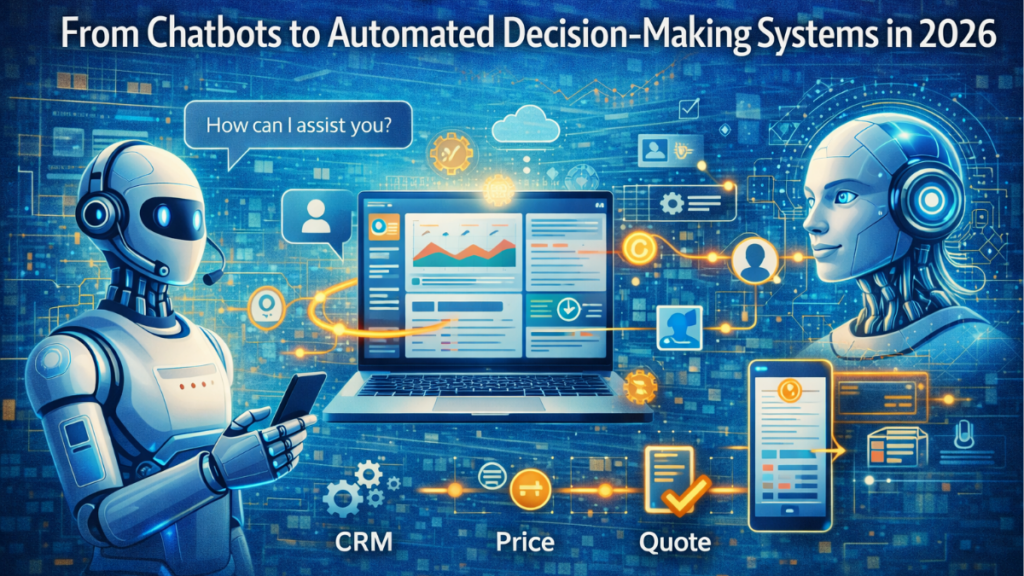
AI agents in CRM create value when they reduce manual work, improve decision speed, and help teams act on customer data more effectively. In 2026, major CRM vendors are positioning agents as systems that do more than generate text: they can support workflows, recommend actions, automate routine execution, and help teams work with more context. Salesforce says Agentforce can answer questions, take actions, and improve productivity, while HubSpot says Breeze uses CRM data and business context to provide relevant, actionable help.
1. Faster Response and Execution
One of the biggest benefits is speed. AI agents can analyze incoming requests, check CRM context, and trigger the next action faster than a manual workflow. That helps sales and service teams reduce delays in lead handling, customer routing, and case response. Microsoft’s current Dynamics 365 roadmap highlights agentic capabilities across customer intent, case management, and autonomous workflows to improve responsiveness.
2. Less Manual Work for Sales, Service, and Marketing Teams
Agents can take over repetitive operational tasks such as summarizing records, updating CRM fields, drafting responses, routing requests, and triggering workflows. That reduces admin work and gives teams more time for higher-value actions like selling, problem solving, and account strategy. Salesforce explicitly frames AI agents as a “digital labor force” that supports employees and customers around the clock.
3. Better Decisions from Real CRM Context
The strength of AI CRM agents is not just automation. It is context-aware decision support. Because they can work from account history, opportunity data, engagement signals, and business rules, they can recommend actions based on what is actually happening in the customer relationship. HubSpot says Breeze has full access to CRM data and business context so help is relevant rather than generic.
4. More Consistent Customer Experience
When agents follow shared knowledge, CRM history, and workflow logic, they can help standardize responses and next steps across teams. That reduces the inconsistency that happens when every rep or agent handles similar situations differently.
5. Stronger Lead Handling and Revenue Support
In sales workflows, AI agents in CRM can support lead management, qualification, follow-up prioritization, and upsell recommendations. Salesforce’s AI agent guidance says agents can support lead management and help keep CRM data accurate as prospects engage, while HubSpot’s AI CRM materials point to lead scoring, forecasting, personalization, and recommendations as core AI benefits.
6. Better Use of Connected Tools and Systems
Modern agents are useful because they can work across systems, not only inside a chat window. They can connect with CRM records, workflows, knowledge sources, and other business tools to complete tasks or move work forward. Salesforce highlights full integration with the Salesforce ecosystem as a core part of Agentforce, and Microsoft is positioning Dynamics 365 as an agentic CRM platform connected across business processes.
7. Greater Scalability Without Linear Headcount Growth
As customer volume grows, teams often struggle to maintain response quality and operational speed. AI agents help absorb repetitive work and extend team capacity without increasing manual effort at the same rate. That is one of the main commercial reasons vendors are pushing agentic CRM so heavily in 2026. This is partly an inference from how Salesforce and Microsoft describe autonomous agents as productivity and workflow multipliers.
Key Takeaway
The main benefits of AI agents in CRM are faster execution, less manual work, better context-based decisions, more consistent customer handling, and stronger scalability across sales, service, and marketing. The real value is not that they “chat” better. It is that they help teams turn CRM data into action more efficiently.
How AI Agents Use Data, Context, and Memory to Make Decisions
AI agents in CRM make decisions by combining three layers: data, context, and memory. That is what separates them from basic automations. A fixed workflow reacts to one trigger. An agent evaluates the situation using current signals, past interactions, and business rules before choosing the next action.
1. Data Gives the Agent Raw Inputs
The first layer is structured and unstructured CRM data. This can include:
- contact and account records
- deal stage and pipeline history
- email opens, clicks, and replies
- website behavior
- purchase history
- support tickets
- product usage data
Microsoft’s current Dynamics 365 roadmap describes unified customer profiles as a grounding layer for AI agents, which reflects how important connected customer data has become for agent decisions.
2. Context Tells the Agent What the Data Means Right Now
Raw data alone is not enough. Context tells the agent how to interpret that data inside the current situation.
Examples of context:
- is this a new lead or an existing customer
- is the account high value or low priority
- is there an open opportunity or support issue
- what channel did the customer use
- what is the current goal: qualify, upsell, support, retain
This is why modern AI CRM agents can choose different actions for two customers with similar data but different business situations.
3. Memory Helps the Agent Keep Continuity
Memory is what allows the agent to retain useful information across steps or interactions instead of treating every request like a fresh start. In CRM, memory can include prior conversation details, previous recommendations, customer preferences, unresolved issues, or what action was already taken.
OpenAI’s documentation on agents and memory describes how systems can use stored conversation state and retrieved information to maintain continuity across tasks, which is the same practical idea CRM agents rely on when they handle multi-step work.
4. The Agent Combines These Layers to Choose a Next Action
Once the agent has data, context, and memory, it can evaluate the situation and decide what to do next.
Example:
- the lead visited the pricing page twice
- the company matches the ideal customer profile
- the lead ignored the last nurture email
- the rep has not contacted them yet
Based on that combination, the agent may decide to:
- raise the lead score
- notify sales
- draft a personalized follow-up
- delay automation and ask for one more qualification step
That is not simple rule execution. It is context-based decision logic.
5. Business Rules Still Shape the Final Decision
Even advanced AI agents do not make decisions in a vacuum. Businesses usually define boundaries such as:
- when a human must approve an action
- which discounts can be suggested
- which customers can be auto-routed
- what data sources the agent can use
- which actions are blocked for compliance reasons
Salesforce describes Agentforce as operating with trusted business data, actions, and guardrails, which is a good example of how agent decisions are constrained by system design rather than left fully open-ended.
6. Better Decisions Depend on Better Data Quality
If CRM records are incomplete, outdated, duplicated, or disconnected, the agent’s decisions get weaker. Good AI decision-making in CRM depends on clean customer data, clear workflow logic, and connected systems.
Key Takeaway
AI agents in CRM make decisions by combining customer data, current context, and interaction memory. That lets them move beyond basic triggers and choose actions that are more relevant to the account, the moment, and the business goal. The quality of those decisions depends on both the agent model and the quality of the CRM environment around it.
AI Agents and CRM Integration: How They Connect with Tools and Systems
AI agents in CRM are useful only when they can work with the systems where customer activity, workflow logic, and business actions actually live. In 2026, major vendors are framing this clearly: Salesforce says Agentforce agents need data, reasoning, and actions, and can connect to data sources in real time while using workflows, automation, or APIs to complete tasks. Microsoft is positioning Dynamics 365 as agentic CRM that connects teams, processes, and data, while HubSpot says Breeze Agents extend marketing, sales, and service work inside its customer platform.
1. They Start with CRM Data
The first integration layer is the CRM system itself. The agent needs access to records such as:
- contacts and accounts
- opportunities and pipeline stages
- activity history
- tickets and support history
- engagement signals
This gives the agent the customer context it needs before it decides anything. Microsoft’s current Dynamics 365 messaging explicitly says its agentic CRM connects teams, processes, and data, and the 2026 release wave says Dynamics 365 Sales embeds AI and autonomous agents directly into the sales workflow.
2. They Connect to Actions, Not Just Information
A strong AI CRM agent does not stop at reading records. It also needs ways to do something with that information. Salesforce’s official help describes actions as the tools an agent uses to do its job, and Salesforce says Agentforce agents can leverage workflows, automation, and APIs to complete tasks.
That can include actions like:
- updating a CRM field
- creating a follow-up task
- routing a case
- sending an internal alert
- triggering a workflow
- drafting or sending a response
3. APIs and Workflows Are the Connection Layer
Most AI agent integrations work through APIs, native automations, workflow builders, and connector frameworks. This is what lets the agent move from “knowing” to “doing.” Salesforce says Agentforce can connect to any data source in real time and use any workflow, automation, or API to complete tasks. That is the practical model behind modern agent integration.
4. They Often Connect Beyond CRM
To be useful, agents usually need access to more than customer records. They often connect to:
- email and calendar tools
- knowledge bases
- ticketing and service systems
- billing or ERP platforms
- marketing automation tools
- internal databases and APIs
This matters because many CRM decisions depend on data that lives outside the core CRM record. Salesforce’s integration guidance says AI agent integrations transform business by connecting systems and automating tasks, and HubSpot positions Breeze as part of a platform that connects CRM data with the wider business ecosystem.
5. Unified Customer Data Improves Agent Quality
Agents work better when they are grounded in a unified customer profile instead of fragmented records. Microsoft’s 2026 release wave says Dynamics 365 Customer Insights – Data acts as the grounding layer for AI agents by providing unified customer profiles. That matters because disconnected data leads to weaker recommendations and worse automation decisions.
6. Different Platforms Connect in Different Ways
Salesforce is pushing Agentforce as a platform with deep access to Salesforce data, actions, and ecosystem integrations. Microsoft Dynamics 365 is framing CRM as part of a broader agentic business stack connected across CRM, ERP, and Copilot workflows. HubSpot is positioning Breeze Agents inside its customer platform, with access to CRM context and Marketplace-connected tools.
7. Guardrails Still Matter
Integration does not mean unlimited freedom. Businesses still need to control what the agent can read, which systems it can access, and which actions it can take automatically. Salesforce explicitly describes trusted data and actions as part of Agentforce, and HubSpot’s Breeze Studio documentation says custom agents complete structured tasks using your data and tools, which implies controlled scope rather than open access.
Key Takeaway
AI agents connect with CRM and other systems through data access, actions, APIs, workflows, and business-tool integrations. The real value is not that the agent can “talk” to the CRM. It is that the agent can read customer context, use connected systems, and move work forward across sales, service, and operations with controlled access and clear boundaries.
Multi-Agent Systems: How Different AI Agents Work Together
Multi-agent systems in CRM use multiple specialized AI agents instead of one general agent. Each agent handles a narrower role, and an orchestration layer coordinates how they share context, divide work, and pass control. Microsoft’s Agent Framework documentation describes built-in multi-agent orchestration patterns such as sequential, concurrent, handoff, group chat, and manager-led coordination, while Salesforce defines multi-agent collaboration as several agents working together to solve a larger, more complex problem.
1. Each Agent Handles a Specific Job
Instead of asking one agent to do everything, businesses can split work across specialists.
- lead qualification agent
- customer service agent
- upsell recommendation agent
- data enrichment agent
- workflow or routing agent
This usually improves accuracy because each agent is optimized for a narrower task instead of trying to cover the whole customer lifecycle at once. Salesforce’s multi-agent guidance frames this as structured collaboration between several autonomous agents rather than one all-purpose system.
2. An Orchestrator Decides Who Does What
In many setups, one agent or controller acts as the orchestrator. Its job is to evaluate the request, choose which specialist agent should handle each part, and manage the order of execution.
Microsoft’s current guidance explicitly describes patterns where agents execute one after another, in parallel, or through handoffs, and also a magentic pattern where a manager agent dynamically coordinates specialized agents.
Example:
- an inbound request enters the CRM
- the orchestrator checks intent and account context
- it sends lead qualification to one agent
- it sends product-fit analysis to another
- it asks a response agent to draft the next message
- it updates the CRM record after the workflow completes
3. Agents Can Work Sequentially or in Parallel
Some tasks need a clear order. Others can happen at the same time.
Sequential orchestration works when one step depends on the previous one.
- qualify lead
- score lead
- recommend next action
- trigger follow-up
Concurrent orchestration works when agents can analyze different parts of the problem at once.
- one agent checks CRM history
- one agent checks product usage
- one agent reviews support risk
Microsoft documents both patterns directly as core multi-agent designs.
4. Handoffs Matter When Context Changes
A strong multi-agent CRM system does not keep every task with the same agent. It hands work off when the job changes.
Example: a website agent captures an inbound request, then hands the conversation to a qualification agent, which later hands the opportunity to a sales-support agent once buying intent is clear.
Microsoft’s multi-agent guidance specifically calls out handoff patterns, and HubSpot’s customer agent documentation also describes configurable handoff processes when the AI should pass the interaction onward.
5. Shared Context Keeps the System Coherent
For multiple agents to work well together, they need access to shared customer context or a clean way to pass context forward. Otherwise, each agent behaves like it is starting from zero.
That shared context can include:
- account history
- recent messages
- deal stage
- support status
- past recommendations
- business rules and guardrails
HubSpot says Breeze Agents are powered by unified customer data, and Microsoft’s Dynamics 365 roadmap says unified customer profiles act as the grounding layer for AI agents. That is exactly why multi-agent systems can stay consistent across steps.
6. Multi-Agent Systems Are Useful for More Complex CRM Work
A single agent can handle simple tasks. Multi-agent systems become more useful when the workflow crosses functions or needs multiple kinds of reasoning.
Good CRM examples include:
- qualifying inbound leads and routing them
- combining service history with upsell recommendations
- coordinating quote generation, approval checks, and follow-up
- handling support intake, knowledge search, and escalation logic
Salesforce’s public guidance on the future of agentic AI points directly to proactive, multi-agent systems, and its news coverage says organizations are already using multiple agents on average.
7. Governance Gets More Important as More Agents Collaborate
More agents also means more complexity. Businesses need clear rules for:
- which agent can access which data
- when an agent can trigger actions automatically
- how handoffs are logged
- how outputs are reviewed
- when humans must approve decisions
Microsoft’s multi-agent guidance highlights the need for audit and monitoring across connected agents, and Salesforce warns that multi-agent systems create governance challenges around trust, verification, and conflicting objectives.
Key Takeaway
Multi-agent systems in CRM work by splitting complex workflows across specialized AI agents and coordinating them through orchestration, handoffs, and shared customer context. The value is not just more automation. It is better specialization, cleaner workflow division, and stronger support for complex customer and revenue operations.
Using AI Agents for Upselling, Lead Scoring, and Customer Insights
AI agents in CRM create direct business value when they help teams prioritize the right leads, identify better expansion opportunities, and turn raw customer data into usable insights. In 2026, that is one of the main reasons CRM vendors are pushing agentic systems so hard: they are not only assisting conversations, they are helping revenue teams decide what to do next. Salesforce highlights pre-built Agentforce use cases that integrate with data and workflows to drive growth, while HubSpot and Microsoft both position AI inside CRM as a way to improve scoring, personalization, and sales decision-making.
1. AI Agents Improve Lead Scoring
Traditional lead scoring usually follows fixed point rules. AI agents can go further by analyzing patterns across behavior, fit, engagement, and historical outcomes to decide which leads deserve faster action.
- website visits and buying-intent signals
- email opens, clicks, and replies
- company size or industry fit
- past conversion patterns
- current pipeline context
Salesforce describes lead scoring as ranking leads based on behavior, demographics, and engagement to help teams prioritize the best prospects, and Microsoft documents AI-based lead and opportunity scoring in Dynamics 365 to help sellers focus on deals most likely to close.
2. They Help Sales Teams Prioritize Faster
Once a lead is scored, the agent can decide the next step instead of only showing a number. For example, it can notify sales, trigger a nurture flow, request missing qualification data, or route the lead to a different rep. That is where AI lead scoring in CRM becomes more useful than a static score.
HubSpot’s AI materials describe AI CRM benefits such as lead scoring, conversation routing, personalization, and decision-making, and its implementation guidance points to AI systems that analyze lead characteristics and behavioral signals to score, prioritize, and route prospects automatically.
3. AI Agents Support Upselling and Cross-Selling
AI agents can also increase revenue by spotting expansion opportunities inside the existing customer base. Instead of asking reps to guess when to upsell, the agent can use account history and usage signals to recommend upgrades, bundles, or add-ons that fit the customer better.
- current product mix
- usage trends
- contract stage
- service history
- industry or company profile
Salesforce’s current upselling guidance says CRM data is central to smart upselling because it includes purchase history, usage, and customer issues, and notes that AI insights can generate personalized upgrade offers based on customer context.
4. They Make Recommendations More Relevant
The advantage is not just automation. It is relevance. A strong AI CRM agent does not recommend every possible add-on. It evaluates which offer makes sense for that customer, at that moment, with that account history. This helps reduce generic upsell attempts and improves the chance of increasing deal value without hurting trust.
HubSpot says Breeze uses CRM data and business context to provide relevant help instead of generic outputs, which is the same practical logic behind better upsell and cross-sell recommendations.
5. AI Agents Generate Customer Insights from Connected Data
Beyond scoring and upsells, AI agents in CRM can surface insights that teams would miss manually.
- which accounts are becoming more engaged
- which customers show churn risk
- which segments respond to certain offers
- which reps or channels generate better conversion
- which opportunities need immediate attention
Microsoft positions Dynamics 365 AI as a way to provide relationship insights, opportunity scoring, and sales guidance, while HubSpot says Breeze can uncover insights that unite company and customer data for analysis and decision support.
6. They Work Best When CRM Data Is Clean
These systems only work well when the CRM has usable data. If records are duplicated, engagement history is incomplete, or product and customer data are disconnected, the agent’s scoring and recommendations get weaker.
This is partly an inference from how Microsoft describes unified customer profiles as a grounding layer for AI and how vendors consistently tie AI quality to CRM context. Better grounding usually leads to better decisions.
Key Takeaway
Using AI agents for upselling, lead scoring, and customer insights helps CRM teams prioritize better opportunities, spot revenue expansion paths, and act on customer signals faster. The real value is not just that AI can analyze more data. It is that it can turn that data into practical next actions that improve both customer experience and revenue performance.
Ethical AI in CRM: Transparency, Data Privacy, and Decision Control
Ethical AI in CRM is not only about using AI effectively. It is about making sure AI agents are transparent, respect data privacy, and stay under meaningful business control. In 2026, that matters more because CRM agents can score leads, recommend actions, route customers, and influence revenue decisions with less human input than older chatbot systems. The OECD AI Principles emphasize transparency, responsible disclosure, traceability, and accountability, while NIST’s AI Risk Management Framework focuses on managing risks to people, organizations, and society across the AI lifecycle.
1. Transparency Means People Should Know When AI Is Involved
If an AI agent is interacting with customers, drafting responses, or influencing decisions, users should not be left guessing. The EU’s AI Act includes transparency obligations for certain AI systems, including informing people when they are interacting with AI in relevant contexts, and the European Commission says those transparency rules take effect in August 2026.
In practical CRM terms, that means businesses should make it clear when:
- a customer is interacting with an AI agent
- content or recommendations are AI-generated
- a human has not yet reviewed the output
2. Data Privacy Starts with Lawful and Limited Use of Customer Data
AI in CRM depends on customer records, behavioral signals, support history, and other personal data. That makes privacy a core design issue, not a side topic. The EDPB’s 2024 opinion on AI models specifically examines when and how personal data can be used for AI development and deployment, including lawful basis questions and what happens when data was processed unlawfully.
For CRM teams, that means AI agents should use:
- only the data needed for the task
- data with a clear legal basis for processing
- well-defined access controls and retention rules
3. Traceability Matters When AI Influences Sales or Service Decisions
If an AI agent recommends prioritizing one lead, escalating one case, or offering one upsell path, the business should be able to understand how that happened. The OECD says AI actors should ensure traceability in datasets, processes, and decisions so outputs can be analyzed and answered for later.
Inside a CRM, that usually means keeping logs of:
- what data the agent used
- what recommendation or action it produced
- whether a human approved or overrode it
- which workflow or tool it triggered
4. Human Oversight Should Not Disappear
Ethical AI decision-making in CRM does not mean giving agents unlimited authority. The EU AI Act’s deployer obligations for high-risk AI systems include human oversight, relevant input data, and monitoring of system operation. Even outside formally high-risk use cases, that logic is useful for CRM governance: sensitive actions should still have human review points.
Good examples of actions that may need human approval include:
- large discount decisions
- contract changes
- high-impact customer escalations
- decisions based on incomplete or conflicting data
5. Privacy and Security Need to Be Built into the System
NIST’s AI RMF notes that AI risks can include privacy concerns tied to underlying data, as well as confidentiality, integrity, and availability risks. The EDPB also continues to frame secure handling of personal data as part of responsible AI deployment.
For CRM AI agents, that means controls such as:
- role-based access
- data minimization
- secure integrations
- audit logs
- reviewable action boundaries
6. Decision Control Is About Guardrails, Not Just Good Intentions
Ethical AI requires operational guardrails. The OECD’s recent guidance on governing with AI describes guardrails as policies, transparency, and oversight mechanisms used in a proportionate, risk-based way.
In CRM, that means defining:
- what the agent can read
- what it can recommend
- what it can do automatically
- when it must escalate to a human
- how exceptions are reviewed
7. Trust Depends on Disclosure and Control Together
A business does not build trust by saying “we use AI.” Trust comes from showing that the system is transparent, uses data responsibly, keeps records of what it does, and stays within clear decision limits. That aligns with the direction of current OECD, NIST, EDPB, and EU AI Act guidance.
Key Takeaway
Ethical AI in CRM depends on three things working together: transparency about when AI is involved, data privacy grounded in lawful and limited use of customer data, and decision control through traceability, human oversight, and guardrails. That is what lets businesses use AI agents to improve customer experience and revenue without turning automation into a trust problem.
Best AI Tools and CRM Platforms with AI Agents in 2026
The best AI tools and CRM platforms with AI agents in 2026 are the ones that go beyond simple copilots and actually connect customer data, workflow actions, and business context inside the CRM. Right now, the strongest options are not all identical. Some are better for enterprise-wide agent orchestration, while others are better for easier deployment inside sales, marketing, or service teams.
1. Salesforce Agentforce + Salesforce CRM
Salesforce is one of the strongest platforms for businesses that want deep AI agent capabilities connected to sales, service, data, and workflow automation. Salesforce positions itself as an AI CRM where humans and agents work together, and Agentforce is built around trusted data, reasoning, and actions across the Salesforce ecosystem. That makes it especially strong for larger companies that want agent workflows tied directly to Customer 360, automations, and cross-functional operations.
Best for: Enterprise teams, complex workflows, multi-step agent automation, large CRM environments.
2. Microsoft Dynamics 365 + Copilot / agentic CRM
Microsoft Dynamics 365 is a strong option for companies already operating inside the Microsoft stack and looking for agentic CRM tied to broader business systems. Microsoft’s current positioning emphasizes AI-powered virtual agents, autonomous workflows, and CRM connected across data, processes, and teams. This makes Dynamics especially relevant when AI agents need to interact with sales, service, and wider business operations rather than only one narrow workflow.
Best for: Microsoft-based organizations, enterprise process integration, CRM connected to broader operations.
3. HubSpot Smart CRM + Breeze Agents
HubSpot is one of the best fits for companies that want AI agents in CRM without the weight of a large enterprise implementation. HubSpot’s Breeze Agents are positioned as AI-powered specialists for marketing, sales, and service tasks, built on top of HubSpot’s CRM with access to business context and data. HubSpot also frames its Smart CRM as an AI-powered system that understands and enriches customer information rather than only storing it.
Best for: SMBs, growth-stage companies, teams that want easier rollout across marketing, sales, and service.
4. Zendesk AI Agents
Zendesk is one of the strongest options when the main priority is customer service AI agents rather than full revenue-ops CRM depth. Zendesk says its AI agents resolve customer and employee conversations across channels, and its AI agent materials explicitly frame them as agentic systems that can reason, adapt, and stay within business policies. Zendesk is less of a traditional full CRM platform than Salesforce, Dynamics, or HubSpot, but it is highly relevant for support-heavy customer operations.
Best for: Service-focused teams, support automation, omnichannel customer operations.
5. Zoho CRM + Zia Agents
Zoho CRM is a strong option for businesses that want AI sales agents and broader agent workflows with more cost-conscious positioning. Zoho says Zia Agents can be deployed into Zoho CRM for sales development, sales coaching, data enrichment, and related tasks, with oversight over agent actions. Zoho also positions Zia Agents and Agent Studio as a multi-agent platform that can access Zoho services and external cloud apps.
Best for: SMBs and mid-sized businesses, sales-focused agent use cases, companies already using the Zoho ecosystem.
How to Think About the Best Option
- Best for enterprise agent depth: Salesforce Agentforce
- Best for Microsoft ecosystem alignment: Dynamics 365
- Best for easier all-in-one adoption: HubSpot + Breeze
- Best for service-first AI agents: Zendesk AI Agents
- Best value for sales-focused agent workflows: Zoho CRM + Zia Agents
What to Check Before Choosing
- how well the platform connects AI agents to real CRM records and workflows
- whether agents can take actions, not just generate text
- quality of integrations with email, knowledge bases, support, billing, and internal tools
- governance controls, approvals, and visibility into agent actions
- how easy the platform is to maintain as use cases grow
Key Takeaway
The best CRM platforms with AI agents in 2026 are the ones that connect data, context, and actions in a controlled way. Salesforce stands out for enterprise-scale agent orchestration. Dynamics 365 is strong for Microsoft-centered operations. HubSpot is one of the easiest strong options for growing companies. Zendesk is excellent for service-heavy environments. Zoho CRM is a serious option for sales-focused teams that want agentic capabilities without enterprise-level overhead.
Step-by-Step: How to Implement AI Agents with Real Examples
Implementing AI agents in CRM works best when you start with one clear business problem, one controlled workflow, and one set of decision boundaries. If you try to launch a broad agent program too early, you usually create weak outputs, messy governance, and low internal trust.
1. Start with One High-Value Use Case
Pick a use case where speed, consistency, or scale matters and where the decision logic is clear enough to control.
- lead qualification
- case routing
- follow-up drafting
- account summarization
- upsell recommendations
Example: A SaaS company starts with an AI agent that reviews inbound demo requests, checks CRM fit, and decides whether the lead should go to sales immediately or enter a nurture flow.
2. Define the Agent’s Goal and Limits
The agent should have a narrow mission, not a vague instruction to “help sales.” Define:
- what the agent is trying to achieve
- what data it can use
- what tools it can access
- what actions it can take automatically
- when it must escalate to a human
Salesforce’s current Agentforce guidance says agents need data, reasoning, and actions, and that they can use workflows, automation, or APIs to complete tasks. That makes clear why action boundaries matter from the start.
Example: A support agent can summarize the ticket, recommend the next step, and route the case, but it cannot issue credits or change contract terms without human approval.
3. Ground the Agent in Real CRM Data
An agent is only as useful as the CRM data behind it. Before rollout, connect the records and signals the agent actually needs.
- contacts and accounts
- deal history
- email engagement
- support tickets
- product usage or purchase history
- internal knowledge sources
HubSpot says Breeze has full access to CRM data and business context, and Microsoft’s 2026 release wave positions unified customer data as a grounding layer for AI agents.
Example: A customer success agent uses renewal date, product usage, support history, and account size before deciding whether to recommend an upsell, a save action, or a manager review.
4. Connect the Agent to Actions, Not Just Answers
A useful AI CRM agent should do more than generate text. It should be able to trigger structured actions inside the workflow.
- update a record
- create a task
- route a lead
- send an alert
- launch a workflow
- draft a personalized message
Salesforce says Agentforce agents can use any workflow, automation, or API to complete tasks, which is a good model for practical implementation.
Example: After analyzing a demo request, the agent raises the lead score, assigns the rep, creates a follow-up task, and drafts the first outreach email.
5. Build Clear Human Review Points
Do not let the agent act freely on sensitive decisions. Add review points where risk, money, compliance, or customer trust is involved.
Example:
- auto-route simple leads
- auto-draft follow-up emails
- require approval for discount recommendations
- require manager review for churn-risk save offers
This is how you keep AI decision-making in CRM useful without losing control.
6. Test with Real Scenarios Before Full Rollout
Use historical and live-like examples before deploying broadly.
Example test cases:
- high-fit lead with strong buying intent
- high-intent lead with poor ICP fit
- renewal customer with low usage and open support issues
- existing customer showing expansion signals
Example: A B2B company runs 100 past inbound leads through the agent and compares its routing decisions against what top reps actually did.
7. Launch One Team or Workflow First
Start with a contained rollout instead of applying AI agents everywhere at once.
Example: A company first launches an agent for SDR lead triage only, then later expands to customer success renewals and service routing after the first use case proves reliable.
8. Measure Business Results, Not Just Output Volume
Track whether the agent improves real workflow outcomes.
- response time
- lead-to-meeting rate
- case routing accuracy
- upsell conversion
- time saved per rep
- human override rate
Microsoft’s current positioning around agentic CRM focuses on turning CRM into a system of action, which is exactly why implementation should be measured through business outcomes instead of raw AI activity.
9. Improve the Agent with Feedback and Guardrails
After launch, review where the agent makes weak decisions, uses the wrong context, or triggers unnecessary actions. Then improve:
- instructions
- data access
- workflow logic
- approval rules
- knowledge sources
HubSpot’s 2026 Breeze Studio and knowledge vault guidance shows how vendors are already emphasizing structured context management for assistants and agents, which is important for improvement over time.
Key Takeaway
To implement AI agents in CRM well, start with one high-value use case, ground the agent in clean CRM data, connect it to real actions, and keep strong human boundaries around sensitive decisions. The fastest path to success is not full autonomy. It is controlled usefulness that improves response speed, decision quality, and workflow execution in a measurable way.
Common Mistakes and How to Choose the Right AI CRM Solution
The biggest AI CRM mistakes usually happen when businesses chase the idea of “AI agents” before they define the workflow, data, and controls the system actually needs. In 2026, major vendors are pushing agentic CRM hard, but the right solution is still the one that fits your real process, not the one with the loudest AI branding. Salesforce says agents need data, reasoning, and actions, HubSpot says Breeze Agents handle structured tasks using your data and tools, and Microsoft is positioning Dynamics 365 as agentic CRM connected across teams, processes, and data.
Common Mistakes
1. Starting with the Tool Instead of the Use Case
A lot of teams buy an AI CRM platform first and only later ask what the agent should actually do. That usually creates weak adoption and vague outputs.
How to avoid it: Start with one clear workflow such as lead qualification, case routing, account summarization, or upsell recommendations. Then pick the platform that supports that workflow well.
2. Expecting AI Agents to Fix Bad CRM Data
If the CRM has duplicate records, incomplete histories, weak field discipline, or disconnected systems, the agent will make weaker recommendations. Microsoft’s current roadmap keeps emphasizing unified customer data as a grounding layer for AI, which is a strong signal that data quality is still the base layer for useful agents.
How to avoid it: Clean the records, define required fields, and connect the customer data sources the agent needs before rollout.
3. Choosing a Copilot When You Really Need an Agent
Some tools are better for drafting, summarizing, and assisting humans. Others are better for structured workflows where the system needs to take actions. That difference matters. HubSpot’s documentation separates assistants from agents by explaining that assistants help users find information and generate content, while agents complete structured tasks using your data and tools.
How to avoid it: Decide whether you need AI for assistance, automation, or both. Do not pay for agent complexity if all you need is a smart drafting layer.
4. Giving the Agent Too Much Freedom Too Early
Businesses often get excited about autonomy and let the agent touch too many workflows before they have confidence in accuracy. That is how trust breaks.
How to avoid it: Start with narrow permissions. Let the agent recommend, draft, score, summarize, or route first. Keep discounts, contract changes, and sensitive customer decisions behind human approval.
5. Ignoring Integration Depth
An agent that can only read a record and generate text is much less valuable than one that can also update the CRM, trigger workflows, or connect with knowledge, service, and revenue tools. Salesforce explicitly says Agentforce agents can connect to data sources in real time and use workflows, automation, or APIs to complete tasks.
How to avoid it: Check whether the solution can take real actions inside your stack, not just produce nice-looking responses.
6. Rolling Out Too Broadly
Trying to launch AI agents in CRM across sales, service, and marketing at the same time usually creates messy governance and hard-to-debug failures.
How to avoid it: Launch one workflow, one team, or one business unit first. Expand only after the first use case performs well.
7. Measuring Activity Instead of Business Results
Some teams track prompt volume, usage counts, or number of outputs but never check whether the agent improved response time, conversion, or service efficiency.
How to avoid it: Measure business outcomes like lead-to-meeting rate, routing accuracy, time saved, upsell conversion, resolution speed, and human override rate.
How to Choose the Right AI CRM Solution
1. Start with Workflow Fit
Ask what you need the system to do in the real business process.
- assist reps with summaries and drafting
- score and route leads
- handle service intake
- recommend upsells
- coordinate multi-step workflows across teams
The best solution is the one that supports that workflow with the least friction.
2. Check Whether It Has Real Agent Capabilities
A strong AI CRM solution should support more than chat. Look for:
- access to CRM context
- tool and workflow actions
- guardrails and approval control
- memory or persistent context where relevant
- visibility into agent behavior
Salesforce and Microsoft are both clearly framing their current CRM products around agentic workflows and connected actions, not just AI-generated text.
3. Match the Platform to Your Team Size and Complexity
Salesforce Agentforce is stronger for enterprise-scale orchestration and deeper workflow complexity. Microsoft Dynamics 365 fits businesses already operating across the Microsoft ecosystem and broader business processes. HubSpot + Breeze is usually easier for growing companies that want faster rollout across marketing, sales, and service.
4. Review Governance and Control
The platform should make it easy to define what the agent can read, which tools it can use, when it can act automatically, and when a human must step in. Without that, AI adoption becomes a trust problem instead of an efficiency gain.
5. Check Customization and Maintenance Load
Some platforms are powerful but heavy to manage. Others are easier to launch but less flexible for complex use cases. HubSpot is pushing easier deployment through Breeze Agents and Breeze Studio, while Salesforce is leaning into deeper builder and ecosystem control.
Key Takeaway
The biggest AI CRM mistakes come from vague use cases, bad data, weak controls, shallow integrations, and choosing the wrong level of AI complexity. The right solution is the one that fits your workflow, connects to your real systems, and stays governable as adoption grows. For heavy enterprise orchestration, Salesforce is a top fit. For Microsoft-centered operations, Dynamics 365 is strong. For easier all-in-one rollout, HubSpot is one of the best options.
Final Strategy: How to Use AI Agents to Improve Customer Experience and Revenue
To use AI agents in CRM well, the goal is not to automate everything. The goal is to improve customer experience, increase speed, and support better revenue decisions without losing control. The strongest strategy in 2026 is to treat AI agents as operational layers inside the CRM, connected to customer data, workflows, and human review points.
1. Start with High-Impact Customer Moments
Focus first on the moments where faster action and better context can create the most value.
- lead qualification
- inbound routing
- follow-up prioritization
- account summarization
- upsell recommendations
- service triage
These are the workflows where AI agents can improve both customer speed and internal efficiency.
2. Use CRM Data to Personalize Decisions
The biggest advantage of AI CRM agents is that they can work from account history, engagement signals, pipeline context, purchase behavior, and service records. That makes decisions more relevant than generic automation.
Better context helps agents:
- prioritize the right leads
- recommend the next best action
- spot upsell opportunities
- identify churn or service risk earlier
3. Connect Agents to Real Actions
Agents create more value when they do more than generate text. Connect them to tasks, routing, notifications, workflows, record updates, and approved follow-up actions inside the CRM system.
This is what turns AI from an assistant into a real execution layer.
4. Keep Humans in High-Risk Decisions
Not every action should be autonomous. Discount approvals, contract changes, major escalations, and sensitive customer cases should still have human review. This protects trust while keeping automation useful.
5. Improve Revenue Through Better Prioritization and Expansion
Use AI agents to support revenue in practical ways:
- score and route leads faster
- surface high-intent accounts sooner
- recommend cross-sell or upsell opportunities
- reduce follow-up delays
- help reps focus on higher-value work
That is where the link between customer experience and revenue becomes real. Faster, more relevant actions improve both.
6. Measure Business Impact, Not Just AI Activity
Track whether the agent is improving real outcomes:
- response time
- lead-to-meeting rate
- conversion rate
- upsell rate
- case routing accuracy
- customer satisfaction
- time saved per rep or agent
If those metrics do not improve, the setup needs adjustment.
7. Expand in Layers
After one workflow proves reliable, add more use cases gradually. This helps the business scale AI in CRM without creating governance problems or weak adoption.
Key Takeaway
The best strategy to use AI agents for customer experience and revenue growth is to apply them where context, speed, and consistency matter most. Connect them to real CRM actions, ground them in clean customer data, keep humans in sensitive decisions, and measure business outcomes. That is how AI agents become a practical revenue and customer-operations advantage instead of just another feature.
Written by Ana Moedano Rivera