Choosing the right CRM in 2026 is not about features—it’s about fit. A CRM should align with your business model, sales process, and growth goals.
Many businesses choose based on popularity and end up with low adoption, poor data, and lost revenue opportunities. The right choice improves conversion rates, team productivity, and customer retention.
This guide shows you how to evaluate a CRM system based on real impact: usability, costs, integrations, and scalability—so you can choose a tool that actually drives results.
How to Match a CRM to Your Business Type and Goals
Choosing a CRM starts with understanding how your business actually operates. The same tool will not work equally for a B2B sales team, an ecommerce store, or a service-based business.
1. Identify Your Business Model
Your business type defines the kind of CRM you need:
- B2B: Focus on pipeline management, long sales cycles, deal tracking, and forecasting.
- B2C / Ecommerce: Prioritize automation, customer segmentation, and integration with marketing tools.
- Service-based: Look for client management, scheduling, and communication tracking.
2. Define Your Primary Goal
Every CRM decision should be tied to a measurable outcome. Ask:
- Do you want to increase sales conversions?
- Improve customer retention?
- Automate lead generation and follow-ups?
If your goal is unclear, you’ll choose features you don’t need and ignore the ones that actually drive revenue.
3. Map Your Sales Process
A CRM should match your real sales funnel, not force you to change it completely. Define:
- Lead sources (ads, organic, referrals)
- Pipeline stages (new lead, qualified, proposal, closed)
- Follow-up actions (calls, emails, demos)
This ensures your CRM supports your conversion flow instead of slowing it down.
4. Align CRM Features With Outcomes
Don’t choose features—choose results:
- Automation → saves time and increases response speed
- Analytics and reporting → improves decision-making
- Lead scoring → prioritizes high-value prospects
Each feature should connect directly to efficiency or revenue growth.
5. Choose Based on Fit, Not Popularity
Popular CRMs are not always the best option. A simple, well-adapted system will outperform a complex one your team doesn’t use.
The best CRM strategy is choosing a tool that matches your workflow, supports your goals, and is easy for your team to adopt consistently.
Key CRM Features You Should Evaluate Before Choosing
Not all CRM features drive results. Focus on the ones that directly impact sales performance, automation, and customer management.
1. Contact and Lead Management
Your CRM must centralize all customer data in one place:
- Complete contact profiles (emails, calls, activity history)
- Lead tracking across the funnel
- Smart segmentation for targeting
This is the foundation for improving conversion rates and personalization.
2. Sales Pipeline Management
A visual sales pipeline helps you track deals and identify bottlenecks:
- Custom pipeline stages
- Drag-and-drop deal management
- Deal value and probability tracking
This feature directly impacts forecast accuracy and revenue visibility.
3. Automation and Workflows
CRM automation reduces manual work and increases speed:
- Automated email follow-ups
- Lead assignment rules
- Trigger-based workflows
Fast response times = higher lead conversion.
4. Reporting and Analytics
You need clear data to optimize performance:
- Sales reports and dashboards
- Conversion tracking by stage
- Team performance metrics
Without this, you’re making decisions without visibility.
5. Communication Tracking
A good CRM logs every interaction:
- Email integration and tracking
- Call logging and notes
- Conversation history per contact
This ensures consistent customer experience and better follow-ups.
6. Lead Scoring
Lead scoring helps prioritize high-value prospects:
- Assign scores based on behavior and data
- Identify sales-ready leads
- Focus effort where it impacts revenue
7. Mobile Access
Your team should access the CRM anywhere:
- Mobile app with full functionality
- Real-time updates on deals and contacts
This improves sales productivity in the field.
8. Integration Capabilities
A CRM must connect with your existing stack:
- Email marketing tools
- Advertising platforms
- Customer support systems
Strong integrations eliminate data silos and improve efficiency.
9. Customization Options
Your CRM should adapt to your workflow:
- Custom fields and pipelines
- Flexible dashboards
This ensures long-term usability and scalability.
10. Built-in AI and Insights (2026 Standard)
Modern CRMs include AI-powered features:
- Predictive sales insights
- Suggested next actions
- Automated data entry
These features improve efficiency and reduce human error.
Focus on features that directly improve conversion, speed, and decision-making—not just long feature lists.
Ease of Use: How Quickly Can Your Team Adopt the CRM?
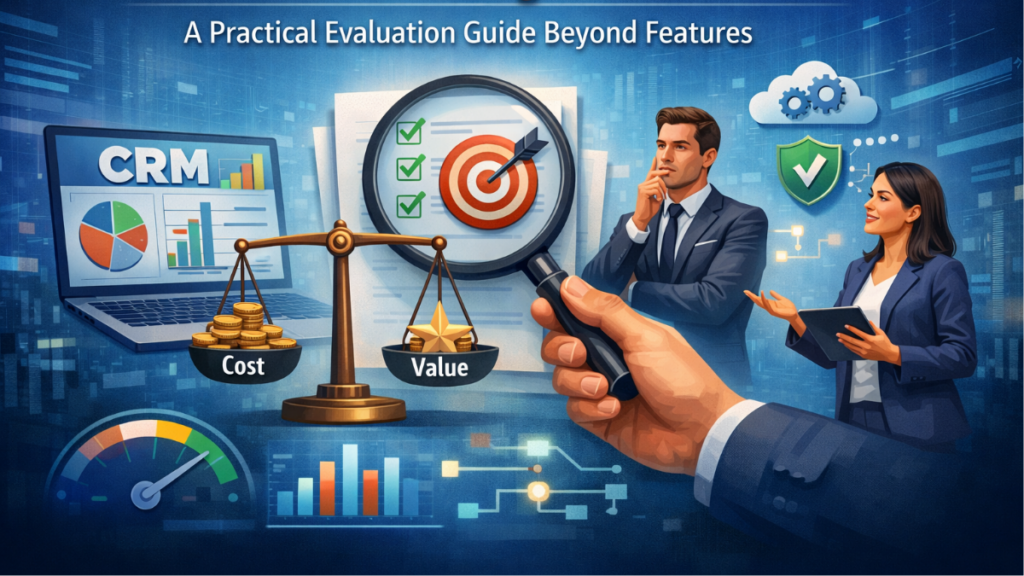
A powerful CRM is useless if your team doesn’t use it. Ease of use directly impacts adoption rate, data quality, and ultimately revenue performance.
1. Time to First Value
Measure how fast your team can start using the CRM effectively:
- Can you set up pipelines and contacts in hours, not weeks?
- Is the interface intuitive without heavy training?
The shorter the onboarding time, the faster you see ROI.
2. User Interface and Navigation
A clean UI/UX reduces friction:
- Simple dashboards with clear sales pipelines
- Easy access to contacts, deals, and tasks
- Minimal clicks to complete key actions
If basic actions take too many steps, adoption drops.
3. Learning Curve and Training Requirements
Evaluate how much training your team needs:
- Does it require long onboarding sessions?
- Are there built-in tutorials or guided setups?
A steep learning curve slows implementation and increases resistance.
4. Daily Workflow Fit
The CRM should match how your team already works:
- Fast data entry (notes, calls, updates)
- Quick task creation and follow-ups
- Seamless movement across pipeline stages
If it interrupts workflows, your team will avoid using it.
5. Automation That Reduces Effort
Good automation improves usability:
- Auto-logging emails and activities
- Predefined workflows for repetitive tasks
- Reminders and task automation
Less manual work = higher consistency and better data.
6. Mobile and Accessibility
Your team should be able to use the CRM anywhere:
- Fully functional mobile CRM app
- Fast loading and real-time sync
This is critical for sales teams working outside the office.
7. Adoption Metrics to Watch
After implementation, track real usage:
- Login frequency
- Deals updated per user
- Tasks completed on time
Low usage = poor CRM adoption and wasted investment.
The best CRM is not the most advanced—it’s the one your team uses daily without friction. High usability leads to better data, faster processes, and higher conversion rates.
CRM Pricing Models Explained: What You’ll Actually Pay
CRM pricing is rarely as simple as the monthly fee shown on the website. The real cost depends on users, features, integrations, and scaling. Understanding the full cost structure helps you avoid unexpected expenses and protect your ROI.
1. Subscription-Based Pricing (Per User)
The most common model is per-user pricing:
- Monthly or annual fee per user/seat
- Different tiers based on features
This model scales quickly—adding team members increases total CRM cost.
2. Tiered Pricing (Feature-Based Plans)
Most CRMs offer multiple plans:
- Basic: core features (contacts, pipelines)
- Professional: automation, reporting
- Enterprise: advanced customization, AI, security
Key point: critical features like automation or advanced reporting are often locked behind higher tiers.
3. Freemium Models
Some platforms offer a free CRM with limitations:
- Restricted users or contacts
- Limited automation and integrations
Useful for testing, but not scalable for serious growth.
4. Add-Ons and Hidden Costs
This is where most businesses underestimate total cost:
- Email marketing modules
- Advanced automation features
- API access or premium integrations
- Extra storage or contact limits
Always calculate the real monthly cost, not just the base plan.
5. Implementation and Setup Costs
Some CRMs require upfront investment:
- Paid onboarding or setup services
- Hiring experts for customization
Complex systems increase initial investment significantly.
6. Cost of Scaling
Your CRM cost grows with your business:
- More users = higher subscription cost
- More data = higher storage or contact fees
- Advanced features needed as you grow
Choose a pricing model that supports scalable growth without sharp cost jumps.
7. ROI vs Cost
The cheapest CRM is not the most profitable. Evaluate:
- Does it improve conversion rates?
- Does it save time through automation?
- Does it increase customer lifetime value?
A higher-priced CRM can deliver better return on investment if it drives revenue.
Before choosing, calculate the total cost of ownership (TCO): subscription + add-ons + implementation + scaling. That’s what you’ll actually pay.
CRM Integrations: APIs, Third-Party Tools, and Compatibility
A CRM should not work in isolation. Its real value comes from how well it connects with your marketing tools, sales stack, and data systems. Poor integration capabilities create manual work, data silos, and lost revenue opportunities.
1. Native Integrations vs Third-Party Connectors
There are two main ways CRMs connect with other tools:
- Native integrations: Built directly into the CRM (more stable and faster)
- Third-party tools: Platforms like Zapier or Make that connect apps
Native options are more reliable, but connectors give flexibility when direct integrations are not available.
2. API Access and Flexibility
An API (Application Programming Interface) allows custom integrations:
- Connect internal systems or custom apps
- Automate complex workflows
- Sync data across multiple platforms
Limited or paid API access can restrict your ability to scale and automate.
3. Key Integrations You Should Prioritize
Your CRM should connect with tools that impact conversion and operations:
- Email marketing platforms (automation and campaigns)
- Advertising platforms (lead tracking from ads)
- Customer support tools (tickets and communication)
- Ecommerce platforms (orders and customer behavior)
- Analytics tools (performance tracking)
These integrations create a unified customer journey.
4. Data Sync and Accuracy
Integration quality is not just about connection—it’s about data synchronization:
- Real-time vs delayed sync
- Two-way data sync (CRM ↔ other tools)
- Duplicate prevention and data consistency
Bad sync leads to incorrect decisions and poor customer experience.
5. Automation Across Tools
Strong integrations enable cross-platform automation:
- Auto-create leads from forms or ads
- Trigger email sequences based on CRM activity
- Update pipelines automatically
This reduces manual work and increases response speed.
6. Compatibility With Your Existing Stack
Before choosing a CRM, audit your current tools:
- Does it integrate with your current software?
- Will you need to replace key tools?
Switching platforms increases cost and implementation complexity.
7. Integration Costs
Some integrations are not free:
- Premium integrations locked behind higher plans
- Costs for third-party automation tools
- Developer costs for custom API setups
Always include integration expenses in your total CRM cost.
A well-integrated CRM system becomes the central hub of your business, connecting data, automating workflows, and improving efficiency and conversion rates.
Customization and Flexibility: How Much Can You Adapt the CRM?
A CRM should adapt to your workflow—not force your team to change how they sell. Strong customization and flexibility improve adoption, reduce friction, and support long-term scalability.
1. Custom Fields and Data Structure
You need control over how customer data is stored:
- Create custom fields (text, dropdowns, numbers, dates)
- Define required fields for better data quality
- Organize contacts, companies, and deals based on your model
This ensures your CRM reflects your real business logic.
2. Pipeline and Workflow Customization
Your sales pipeline should match your process:
- Create and edit pipeline stages
- Build custom workflows and automation rules
- Set triggers based on actions or conditions
This directly impacts conversion rates and process efficiency.
3. Dashboards and Reporting Flexibility
You should control how data is visualized:
- Custom dashboards for different roles
- Editable reports and KPIs
- Filters for segmentation and analysis
Better visibility leads to faster decision-making.
4. Role-Based Access and Permissions
A flexible CRM allows access control:
- Define user roles and permissions
- Limit access to sensitive customer data
- Control who can edit pipelines or reports
This improves security and operational control.
5. Custom Objects and Advanced Configuration
More advanced CRMs allow deeper customization:
- Create custom objects (e.g., subscriptions, properties, projects)
- Build complex relationships between data
This is essential for businesses with non-standard sales models.
6. Automation Flexibility
Not all automation is equal. Look for:
- Multi-step automation workflows
- Conditional logic (if/then rules)
- Cross-pipeline automation
Flexible automation increases efficiency and reduces manual errors.
7. Limits and Restrictions
Many CRMs restrict customization based on plan:
- Limits on custom fields or pipelines
- Advanced features locked behind higher tiers
These limits can block your growth later.
The goal is not maximum customization—it’s the right level of flexibility to support your current operations and future expansion without adding unnecessary complexity.
Scalability: Can the CRM Grow with Your Business?
A scalable CRM should support your business as it grows without forcing you to migrate systems. Poor scalability leads to data loss, downtime, and high switching costs that directly impact revenue.
1. User and Team Growth
Your CRM must handle an increasing number of users:
- Add new sales reps without performance issues
- Manage multiple teams with role-based access
- Support collaboration across departments
If user expansion becomes expensive or complex, scalability is limited.
2. Contact and Data Volume
As your business grows, so does your customer data:
- Handle large volumes of contacts and deals
- Fast search and filtering performance
- No strict limits on records or storage
Slow systems reduce productivity and affect decision-making.
3. Advanced Features as You Scale
Your needs evolve over time. A scalable CRM should offer:
- Advanced automation and workflows
- Deeper analytics and reporting
- AI-driven insights for forecasting
You should be able to unlock features without changing platforms.
4. Multi-Pipeline and Multi-Channel Support
Growing businesses manage more complexity:
- Multiple sales pipelines for different products
- Integration with various marketing channels
- Support for different customer journeys
This is key for scaling sales operations efficiently.
5. Integration Scalability
Your tech stack will expand:
- Add new tools and integrations without breaking workflows
- Stable API performance under higher data loads
Weak integrations limit your ability to scale operations.
6. Performance and Reliability
A scalable CRM must maintain performance as usage increases:
- Fast load times with large datasets
- High uptime and system reliability
- Minimal bugs or delays during peak usage
Performance issues directly impact sales efficiency.
7. Pricing Scalability
Growth should not create unpredictable costs:
- Reasonable per-user pricing as you expand
- No extreme jumps between pricing tiers
- Transparent scaling costs
Uncontrolled costs can reduce your profit margins.
Choosing a scalable CRM means selecting a system that grows with your team, data, and process complexity—without forcing a future migration.
CRM Security and Data Compliance: What You Need to Know
Your CRM stores sensitive customer data, so security and data compliance are critical. Weak protection can lead to data breaches, legal issues, and loss of customer trust.
1. Data Encryption and Storage
Ensure your CRM protects data at all times:
- Encryption in transit (SSL/TLS)
- Encryption at rest for stored data
- Secure cloud infrastructure
This prevents unauthorized access to sensitive information.
2. Access Control and Permissions
Not every user should see all data:
- Role-based access control (RBAC)
- Custom user permissions
- Restriction of sensitive fields (e.g., revenue, personal data)
This reduces internal risks and improves data security.
3. Authentication and Account Protection
Secure user access is essential:
- Two-factor authentication (2FA)
- Single Sign-On (SSO)
- Login alerts and suspicious activity detection
Strong authentication prevents unauthorized account access.
4. Data Compliance Regulations
Your CRM must comply with relevant data protection laws:
- GDPR (EU data protection)
- CCPA (California privacy law)
- Other regional privacy regulations
Non-compliance can result in fines and legal issues.
5. Data Ownership and Portability
You should always control your data:
- Ability to export data easily
- Clear data ownership policies
- No vendor lock-in limitations
This protects your business if you switch platforms.
6. Backup and Disaster Recovery
Data loss can be catastrophic:
- Automatic data backups
- Disaster recovery plans
- Fast data restoration options
Reliable backups ensure business continuity.
7. Audit Logs and Monitoring
Track all activity inside the CRM:
- Audit logs for user actions
- Monitoring changes to data and permissions
This helps detect issues and maintain compliance.
A secure CRM system is not optional—it protects your data, your customers, and your business reputation.
Implementation and Onboarding: What to Expect
The success of a CRM implementation depends on how well it’s set up and adopted from day one. Poor onboarding leads to low usage, messy data, and lost revenue opportunities.
1. Initial Setup and Configuration
Start by aligning the CRM with your sales process:
- Define pipelines and stages
- Create custom fields and data structure
- Set up user roles and permissions
A correct setup ensures the CRM reflects your real workflow.
2. Data Migration
Moving existing data is a critical step:
- Import contacts, deals, and history
- Clean and remove duplicate data
- Standardize formats before import
Clean data improves segmentation and decision-making.
3. Integration Setup
Connect your CRM with your existing tools:
- Email platforms and communication tools
- Marketing automation systems
- Lead sources (forms, ads, landing pages)
This creates a unified customer journey and reduces manual work.
4. Automation and Workflow Configuration
Set up key automation workflows early:
- Lead assignment rules
- Automated follow-ups
- Task creation and reminders
This increases response speed and improves conversion rates.
5. Team Training
Your team must know how to use the CRM daily:
- Short, practical training sessions
- Focus on real use cases, not theory
- Provide simple documentation or guides
Better training = higher CRM adoption.
6. Testing and Optimization
Before full rollout, test everything:
- Verify automations and workflows
- Check data accuracy and integrations
- Identify bottlenecks in the sales process
Fixing issues early prevents future inefficiencies.
7. Time and Resource Expectations
Implementation time depends on complexity:
- Simple CRM: a few days
- Mid-level setup: 1–3 weeks
- Advanced systems: several weeks or months
Plan resources to avoid delays and ensure a smooth deployment.
8. Post-Launch Monitoring
After launch, track performance:
- User adoption and activity levels
- Pipeline usage and updates
- Impact on sales performance
Continuous optimization ensures long-term ROI.
A well-executed CRM onboarding process reduces friction, improves team productivity, and accelerates results from day one.
Top CRM Tools in 2026: Comparison of Leading Platforms
In 2026, the best CRM tools are defined by automation, AI capabilities, ease of use, and scalability. The right choice depends on your business model, team size, and growth stage—not just features.
1. Salesforce
- Best for: Enterprise and complex sales processes
- Strengths: Advanced customization, powerful AI, deep analytics
- Weaknesses: High cost and steep learning curve
Salesforce offers unmatched flexibility and scalability, making it ideal for large teams with complex workflows.
2. HubSpot CRM
- Best for: Startups and marketing-driven teams
- Strengths: Easy to use, strong marketing automation, free plan
- Weaknesses: Costs increase quickly at scale
HubSpot is one of the most user-friendly CRMs, with strong inbound marketing tools and fast onboarding.
3. Zoho CRM
- Best for: Small to mid-sized businesses
- Strengths: High value for price, strong customization, solid automation
- Weaknesses: Interface less intuitive than competitors
Zoho delivers one of the best ROI options, with strong features at a lower cost.
4. Pipedrive
- Best for: Sales-focused teams
- Strengths: Visual sales pipeline, ease of use, fast adoption
- Weaknesses: Limited built-in marketing features
Pipedrive is ideal if your priority is managing deals and improving sales efficiency.
5. Microsoft Dynamics 365
- Best for: Medium to large enterprises using Microsoft ecosystem
- Strengths: Deep integrations, strong data analytics, enterprise-grade features
- Weaknesses: Complex setup and higher cost
Dynamics 365 combines CRM with business intelligence, making it powerful but resource-intensive.
6. Monday CRM
- Best for: Teams needing flexibility and project-style workflows
- Strengths: Visual dashboards, customizable workflows
- Weaknesses: Less specialized for advanced sales processes
Monday CRM works well for teams combining project management with customer tracking.
7. Freshsales (Freshworks)
- Best for: Small businesses and fast setup
- Strengths: Built-in AI, quick onboarding, affordable pricing
- Weaknesses: Less customization than enterprise tools
Freshsales stands out for speed, ease of use, and strong automation for growing teams.
Quick Comparison Summary
- Best for enterprise: Salesforce / Microsoft Dynamics
- Best for startups: HubSpot / Freshsales
- Best value: Zoho CRM
- Best for sales teams: Pipedrive
- Best hybrid (CRM + project): Monday CRM
There is no universal “best CRM.” The right platform is the one that aligns with your sales process, budget, and growth strategy—while maximizing conversion and efficiency.
Common Mistakes When Choosing a CRM (And How to Avoid Them)
Many companies invest in a CRM system but fail to see real results because of poor evaluation. Avoiding these common mistakes can save time, reduce costs, and improve CRM adoption.
1. Choosing Based on Features Instead of Business Needs
One of the most frequent mistakes is selecting a CRM with the longest list of features rather than the one that fits your sales process.
- Complex tools slow down team productivity
- Unused features increase cost
How to avoid it: Define your business goals, workflow, and key processes before evaluating CRM platforms.
2. Ignoring Ease of Use
If your team finds the CRM difficult to use, adoption will drop.
- Sales reps avoid updating deals
- Customer data becomes incomplete
How to avoid it: Test the user interface with real users and prioritize tools with fast learning curves.
3. Underestimating Implementation Effort
Many companies assume CRM setup is quick, but implementation involves:
- Data migration
- workflow configuration
- Team training
How to avoid it: Plan a structured CRM implementation and allocate time for onboarding and testing.
4. Not Considering Integration Needs
A CRM that doesn’t integrate with your marketing tools, email platforms, or analytics systems creates manual work and data silos.
How to avoid it: Audit your current tech stack and confirm compatibility before choosing a CRM.
5. Ignoring Total Cost of Ownership
Businesses often focus only on the base subscription price, ignoring additional costs:
- Add-ons and premium features
- Integration tools
- Implementation services
How to avoid it: Calculate the full CRM cost, including scaling expenses and hidden fees.
6. Choosing a CRM That Can’t Scale
A system that works for a small team may fail when the business grows.
- Limits on users or contacts
- Restricted automation
How to avoid it: Select a scalable CRM that supports increasing data, users, and automation needs.
7. Skipping the Testing Phase
Some companies choose a CRM without testing how it works in real scenarios.
How to avoid it: Use free trials or demos and simulate real workflows before committing.
A successful CRM strategy is not about choosing the most popular tool—it’s about selecting a system that supports your workflow, improves conversion, and grows with your business.
Final Checklist: How to Choose the Right CRM Step by Step
Use this CRM checklist to make a clear, results-driven decision. Each step ensures the CRM you choose improves conversion, efficiency, and scalability.
Step 1: Define Your Business Model and Goals
- Identify your business type (B2B, B2C, service, ecommerce)
- Set clear objectives (increase sales, automate processes, improve retention)
Your CRM must align with measurable outcomes.
Step 2: Map Your Sales Process
- Define your sales funnel stages
- List key touchpoints (calls, emails, demos)
- Identify bottlenecks in your current process
This ensures the CRM supports your real workflow.
Step 3: Identify Must-Have Features
- Contact management
- sales pipeline
- automation
- reporting and analytics
Focus on features that impact revenue, not just functionality.
Step 4: Evaluate Ease of Use
- Test the user interface
- Measure learning curve and onboarding time
- Ensure fast daily usage for your team
High usability leads to better adoption.
Step 5: Check Integrations and Compatibility
- Confirm integration with your existing tools
- Review API capabilities
- Evaluate data synchronization quality
Strong integrations improve efficiency and reduce manual work.
Step 6: Analyze Pricing and Total Cost
- Review pricing models (per user, tiered plans)
- Include add-ons, integrations, and setup costs
- Estimate scaling costs
Calculate the real total cost of ownership.
Step 7: Evaluate Customization and Flexibility
- Custom fields and pipelines
- Flexible workflows
- Adaptability to your business processes
The CRM should fit your operations—not the other way around.
Step 8: Assess Scalability
- Support for more users and data
- Access to advanced features over time
- Stable performance as you grow
A scalable CRM avoids future migration costs.
Step 9: Review Security and Compliance
- Data encryption and secure infrastructure
- access control and authentication
- Compliance with data regulations
This protects your business and customer data.
Step 10: Test Before Committing
- Use free trials or demos
- Simulate real sales workflows
- Collect feedback from your team
Testing reduces risk and ensures the right decision.
Following this step-by-step CRM selection process ensures you choose a system that improves performance, supports growth, and delivers measurable ROI.
Written by Ana Moedano Rivera