A CRM data migration can improve reporting, automation, scalability, and team productivity, but it can also create serious problems if it is handled without a clear plan. In 2026, customer data is spread across more sources than ever, including legacy CRMs, spreadsheets, support platforms, marketing tools, e-commerce systems, and custom apps. Moving that information into a new CRM is not just a technical transfer. It is a data quality, process continuity, and business risk project.
The biggest migration failures usually do not happen because data cannot be moved. They happen because businesses migrate the wrong records, keep outdated structures, break relationships between objects, or launch the new system without validating what changed. Poor planning can lead to duplicate contacts, missing activity history, broken automations, reporting errors, and unnecessary downtime for sales and support teams. That is why a successful migration starts long before the first import file is uploaded.
Why CRM migration requires more than a simple data transfer
Every CRM has its own data model, field logic, validation rules, permissions, and automation framework. A migration project must account for how customer records are structured, which data should be preserved, how fields need to be transformed, and how users will continue working during the transition. In many cases, the real challenge is not moving the data itself, but protecting data integrity and operational continuity while systems change.
In this guide, we cover when a CRM migration is actually necessary, how to audit and prepare your data before the move, how to handle field mapping and transformation, how to reduce or avoid downtime during cutover, how to validate the migration afterward, and which tools and services are most useful for CRM data migration in 2026. The goal is simple: move your customer data with structure, accuracy, and as little disruption as possible.
When you actually need a CRM migration (and when you don’t)
A CRM migration makes sense when your current system is no longer supporting the way your business operates, but not every CRM problem should be solved by moving to a new platform. In many cases, companies start planning a migration too early, when the real issue is poor data hygiene, weak internal adoption, broken process design, or missing integration work. Official guidance from Salesforce, HubSpot, and Microsoft consistently treats migration as a structured response to clear business and technical limits, not as the default fix for every CRM frustration.
You need a migration when the current CRM no longer fits the business
A migration is usually justified when the existing CRM cannot scale with your data model, reporting needs, automation complexity, security requirements, or integration stack. That may happen when a business outgrows spreadsheets or a lightweight CRM, when an on-premises system must move to the cloud, or when teams are forced to maintain manual workarounds because the current platform no longer supports critical workflows efficiently. Microsoft’s migration guidance for Dynamics 365 specifically frames migration around modernization, cloud adoption, and alignment with future business needs.
You may also need migration when consolidation becomes a priority
Another valid reason is system fragmentation. If customer data is spread across multiple tools, duplicated across departments, or split between a legacy CRM and disconnected spreadsheets, a migration can help centralize records and improve consistency. HubSpot’s migration documentation positions CRM migration as a way to recreate existing CRM data inside a more unified platform structure, which is especially relevant when businesses want one place for sales, service, and marketing data.
You do not need migration just because the CRM feels messy
A cluttered CRM does not automatically mean the platform is the problem. Many companies think they need to migrate when what they really need is a data cleanup, better field governance, fewer custom properties, improved user permissions, or process redesign. HubSpot’s implementation guidance explicitly warns against importing old test contacts, unused fields, and dirty data, which reinforces a broader point: poor data quality should be fixed before deciding that a new CRM is necessary. Otherwise, migration only transfers the same mess into a different system.
You also do not need migration when integration or configuration can solve the gap
Sometimes the issue is not the CRM platform itself but the lack of proper integration, customization, or admin setup. Missing reports, weak automation, duplicate records, or slow user adoption can often be improved inside the current system. Salesforce’s implementation guidance treats data migration as one part of a larger CRM strategy that includes process assessment, configuration, and business requirements, which is a useful reminder that migration should come after analysis, not before it.
The right trigger is a structural limitation, not general frustration
The best time to migrate is when the business can clearly identify a structural limitation that cannot be solved efficiently in the current environment. If the CRM blocks growth, creates ongoing operational friction, or prevents the business from using customer data properly, migration may be the right move. If the problems come mostly from bad data, weak governance, or underused features, then a cleanup and optimization project is often the smarter first step. A good migration decision is based on fit, risk, and long-term value, not just the feeling that the current tool has become annoying.
Data audit before migration: what to clean, what to archive, what to delete
A successful CRM migration starts with a data audit, not with an import. Moving everything from the old system into the new one usually creates the same problems in a different place: duplicates, empty fields, outdated records, broken ownership, and unreliable reporting. Salesforce’s migration guidance recommends first identifying exactly what data should be migrated, while HubSpot’s migration and data quality documentation emphasizes cleaning empty properties, reviewing duplicates, and evaluating record issues before transfer.
Clean the data that still has business value
The first group to review is the data you still need operationally but cannot move in its current state. This usually includes duplicate contacts, inconsistent naming, malformed emails, incomplete company records, obsolete field values, and records with unclear ownership. The goal is to standardize and correct active data before migration so the new CRM starts with cleaner segmentation, better automation, and more accurate reporting. HubSpot’s data quality tools specifically surface duplicate issues, formatting issues, and properties with no data or low usage, which reflects the kind of cleanup work that should happen before any migration begins.
Archive records that matter historically but not operationally
Not all old data should stay live in the new CRM. Some records still matter for historical reference, audits, or long-term trend analysis, but they do not belong in the active working database. Examples often include closed-lost deals from years ago, inactive accounts, old tickets, legacy campaign data, and records tied to retired business units or workflows. Archiving these datasets outside the primary production view can reduce clutter and improve system performance while still preserving access when needed. Microsoft’s broader data-quality guidance also treats profiling and classification as part of preparing data for its intended business use, which supports separating active records from historical ones.
Delete data that has no valid purpose
Some data should not be migrated at all. This includes test records, empty properties, unused custom fields, outdated picklist values, obsolete imports, and records that no longer serve legal, reporting, or operational needs. HubSpot’s Smart Transfer guidance explicitly recommends marking empty properties for deletion and archiving them after review, which is a practical example of how pre-migration cleanup should remove dead structure, not just messy records. Migrating unnecessary data increases complexity, makes field mapping harder, and raises the risk of carrying bad logic into the new system.
Review structure, not just records
A strong data audit should also look beyond row-level data and examine the CRM structure itself. That means reviewing custom properties, object relationships, required fields, validation rules, lifecycle stages, and permissions. Many migration problems happen because businesses focus on records but forget that the target CRM may not need the same field architecture or process logic. Salesforce’s migration best practices start with identifying which objects and data actually need to move, which is a reminder that structure should be intentional, not automatically inherited.
The goal is to migrate less, but migrate better
The best data audit does not aim to save everything. It aims to move the right data into the new CRM with better quality, better organization, and lower long-term maintenance cost. Clean what supports active business use, archive what still has reference value, and delete what has become noise. That approach reduces migration risk and gives the new CRM a stronger foundation from day one.
Field mapping and data transformation: how to avoid losing structure between systems
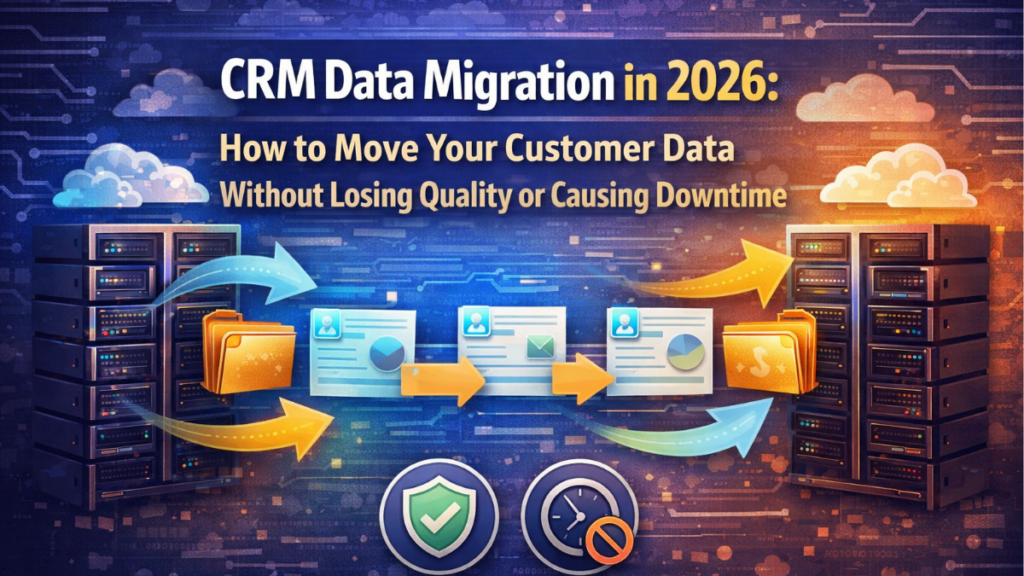
Field mapping is where many CRM migrations quietly fail. The data may transfer successfully, but the meaning, relationships, and logic behind that data can still break if the source and target systems do not use the same structure. Salesforce’s migration guidance recommends identifying the exact objects and data that need to move before import, while Microsoft’s migration architecture guidance highlights mapping source columns to target columns and transforming values in a staging layer before loading them into the new system.
Start with the target data model, not the source export
A common mistake is trying to recreate the old CRM exactly as it exists today. That usually carries over outdated logic, unnecessary fields, and weak structure. A better approach is to define the target CRM data model first: which objects will exist, how they relate to each other, which fields are required, which values are standardized, and what the new system should support operationally. HubSpot’s import guidance reflects this by emphasizing an understanding of the platform’s core objects and how imported data fits into that model.
Map fields based on meaning, not just similar names
Good mapping is not about matching columns that look alike. It is about matching business meaning. A field called “Status” in the old CRM may represent lifecycle stage, sales pipeline stage, support state, or an internal custom label. If that distinction is not validated, records can end up in the wrong object, wrong stage, or wrong workflow after migration. This is especially important when moving between platforms with different native models for leads, accounts, contacts, companies, opportunities, or custom objects.
Transform values before import when structures do not match
In most real migrations, source data cannot be loaded into the new CRM without data transformation. Picklist values may need to be standardized, text fields may need to be split or merged, date formats may need to be normalized, and multiple source tables may need to be joined before they fit the target schema. Microsoft’s complex migration workflow explicitly recommends using scripts and staging databases to join, merge, and transform data so it is ready for direct insert or update in Dataverse. That staging step is often what prevents structural loss during migration.
Preserve relationships between records and objects
One of the highest-risk parts of CRM migration is losing record relationships. Contacts must still belong to the right companies, deals must stay connected to the correct records, and custom objects must preserve their associations. HubSpot’s advanced import tools support multiple objects, which matters because CRM data is rarely flat. If records are imported without stable identifiers and relationship logic, the migration may succeed technically while still breaking the structure users rely on every day.
Use templates, staging, and test imports before full migration
Salesforce recommends creating templates before populating migration data, and that is good practice across platforms. A controlled template or staging environment helps validate field types, required values, transformation logic, and object dependencies before the production load begins. Small test imports are especially useful for finding broken mappings, truncated values, invalid formats, and workflow side effects early, when they are still easy to fix.
The goal is structural integrity, not just successful transfer
A migration should not be considered successful just because rows were imported. The real goal is preserving structure, context, and usability in the new CRM. That means every mapped field should reflect the right business meaning, every transformed value should fit the new logic, and every key relationship should survive the move intact. When field mapping is treated as a business-structure exercise instead of a spreadsheet task, the risk of losing data quality drops sharply.
How to migrate without downtime: parallel running and cutover strategies
One of the biggest risks in a CRM data migration is not the data transfer itself, but the moment when the business switches from the old system to the new one. If that transition is poorly planned, sales, support, and operations teams can lose access, create conflicting records, or continue working in the wrong system. Microsoft’s implementation guidance describes cutover as the final transition step and notes that the switch window is usually short and highly coordinated, which is why downtime reduction depends on planning the transition model in advance.
Parallel running reduces risk before the final switch
A common way to reduce downtime is parallel running, where the legacy CRM and the new CRM operate side by side for a controlled period. This gives teams time to validate data, test workflows, compare outputs, and catch mapping or process issues before the old system is fully retired. Parallel operation is especially useful when the migration affects multiple departments, custom objects, or business-critical automations. Microsoft’s migration guidance in other cloud workloads also recommends temporary parallel operation during cutover so teams can monitor behavior and validate processing before fully committing to the target environment.
Parallel running only works if write rules are clear
Running two systems at once can reduce disruption, but it also creates a major governance challenge: which system is the source of truth? If users are allowed to update both platforms freely, duplicates and data divergence appear fast. The safest approach is usually to define strict write rules during the parallel phase, such as making the legacy CRM read-only for most users, limiting updates to one platform, or using controlled sync logic for a short overlap window. Without that rule, parallel running can create more cleanup work than it prevents.
Cutover strategy is the controlled moment of change
The cutover is the point where the new CRM becomes the live production system. Microsoft recommends treating cutover as a tightly managed event with a checklist, communication plan, assigned owners, validation tasks, and a defined issue-escalation process. In practice, a CRM cutover often includes freezing changes in the source system, taking a final delta load, validating critical objects, switching integrations, updating user access, and confirming that teams can work in the target environment before normal operations resume.
Use delta migration to keep the final window small
To avoid a long outage, businesses often perform an initial bulk migration in advance and then reserve the final cutover window for a smaller delta migration. That last step moves only the records changed since the initial load, which makes the switchover faster and easier to validate. This approach is especially important when the CRM contains large volumes of contacts, deals, activities, or custom records. Salesforce’s data loading guidance also supports handling large datasets in optimized batches, which helps reduce the operational burden during the final transition.
Plan rollback before go-live, not after
A low-downtime migration also needs a rollback plan. If critical validation fails after cutover, the business must know whether it can revert to the legacy CRM, for how long, and under what conditions. That means documenting the decision point, preserving source access for a limited period, and defining exactly what would trigger rollback instead of trying to improvise under pressure. Microsoft’s cutover guidance explicitly recommends clear communications and coordinated execution, and that logic applies equally to rollback readiness: the transition is not safe unless the fallback path is already defined.
The best low-downtime strategy depends on business criticality
There is no single migration pattern that fits every CRM. Smaller environments may succeed with a short planned cutover window outside business hours. More complex teams usually need a staged model with preloading, parallel validation, a final delta sync, and tightly controlled go-live steps. The goal is not to eliminate every second of transition, but to make the switch predictable, short, and reversible enough that business operations are not materially disrupted.
Post-migration validation: how to confirm nothing was lost or corrupted
A CRM migration is not finished when the import ends. It is finished when the business can prove that the migrated data is complete, accurate, usable, and structurally intact. Salesforce’s migration guidance explicitly recommends verifying record counts, running data quality checks, and comparing migrated data against the source system, while Microsoft’s migration architecture emphasizes validation through success tables, error tables, and staged loading controls.
Start with record counts, but do not stop there
The first validation step is usually the simplest: compare record counts between the legacy CRM and the new one. That helps identify obvious gaps in contacts, companies, deals, tickets, or custom objects. But matching totals alone does not prove the migration was successful. A record can exist in the target CRM and still be incomplete, duplicated, assigned incorrectly, or disconnected from related records. Salesforce’s validation checklist treats count verification as an initial control, not the final one.
Check data quality at the field level
After count validation, the next step is to inspect field-level integrity. That means reviewing required fields, date formats, picklist values, owner assignments, identifiers, and transformed values to confirm they landed correctly in the target schema. HubSpot’s import troubleshooting documentation is useful here because it reflects a common reality of migrations: imports can fail or partially load due to formatting problems, invalid values, or mapping mismatches, so teams should review error logs and corrected files as part of post-migration validation.
Validate relationships, not just standalone records
Some of the most damaging migration issues involve broken associations between records rather than missing rows. Contacts may lose their company links, deals may disconnect from the right accounts, and related objects may import without preserving their lookup relationships. HubSpot’s multi-object import guidance highlights that objects and associations can be imported together, which reinforces an important validation rule: you must confirm that the CRM still reflects the intended structure between records, not just that each object was loaded separately.
Use source-to-target comparisons for critical samples
A practical way to confirm that nothing was corrupted is to run source-to-target comparisons on high-value record samples. Review active customers, open deals, recent activities, and records with complex history or custom fields. Compare the legacy CRM and the target CRM side by side to confirm field values, timestamps, ownership, status, and related objects. Salesforce specifically recommends comparing migrated data against the current system’s data, which is one of the clearest ways to catch silent transformation errors that record counts alone will miss.
Review success logs, error logs, and rejected records
Strong validation also depends on reading what the migration process itself reports. Microsoft’s recommended workflow for complex migrations includes success and error tables, which help teams identify what loaded correctly, what failed, and what needs to be reprocessed. Rejected rows, truncated values, missing lookups, and validation-rule failures should all be reviewed before go-live is considered complete. If those logs are ignored, partial migration errors can remain hidden until users start relying on corrupted data in production.
Confirm operational behavior after the data check
Even when records look correct, the migration can still fail operationally if reports, automations, permissions, and user workflows do not behave as expected. Post-migration validation should therefore include a business-use check: can teams search records, run reports, trigger workflows, assign ownership correctly, and continue normal sales or service processes without unexpected gaps? Microsoft’s implementation guidance notes that migration projects require time for testing and validation, which is a reminder that technical import success is only one part of production readiness.
The goal is confidence, not just completion
The best post-migration validation process is designed to answer one question clearly: can the business trust the new CRM? To get there, validate counts, field quality, relationships, logs, and real operational use. If any of those layers are skipped, data loss or corruption can remain hidden long after the migration appears complete.
Best tools and services for CRM data migration in 2026
The best CRM migration tools in 2026 are not always the most complex ones. The right choice depends on the size of your dataset, how much transformation is needed, whether you must preserve relationships between objects, and how much control you want during testing and rollback. In practice, the strongest options fall into three groups: native import tools built into CRM platforms, admin-grade migration utilities for larger or more structured projects, and vendor or partner-led migration services when the move is too complex for a self-managed approach. Official guidance from Salesforce, HubSpot, and Microsoft all reflects this split between standard imports, advanced data-loading workflows, and guided migration support.
Salesforce Data Loader: best for large and structured Salesforce migrations
Salesforce Data Loader remains one of the most useful native tools for high-volume migration into Salesforce. It is designed for importing, exporting, updating, and deleting large datasets, and Salesforce training materials position it for situations where businesses need more control than the standard import wizard provides. This makes it a strong choice when the migration includes large object volumes, update jobs, staged test loads, or repeated validation cycles. It is especially useful for teams that need batch control and a more technical import workflow.
HubSpot import tools and CRM migration support: best for simpler object-based moves
HubSpot offers built-in import tools that work well for common CRM migration scenarios, especially when moving contacts, companies, deals, tickets, and associated records into HubSpot’s object model. HubSpot also has official CRM migration support and service-oriented guidance for businesses moving from another CRM, which makes it a strong option for companies that want a more guided migration into a unified sales, service, and marketing environment. It is particularly well suited to organizations that want straightforward object imports without building a highly customized migration pipeline from scratch.
Microsoft Dynamics 365 migration architecture: best for complex transformation projects
For Dynamics 365 and Dataverse migrations, Microsoft’s official architecture guidance is one of the strongest options for businesses with more complex source systems. Microsoft recommends staged migration workflows where data can be profiled, transformed, validated, and then loaded into the target environment, which is ideal when source records need heavy restructuring before import. This makes the Microsoft stack a strong fit when migration is not just a transfer job, but a full transformation project involving multiple tables, custom logic, and validation layers.
Vendor-led migration services: best when internal resources are limited
Some businesses should not try to self-manage the migration at all. When the CRM contains complex custom objects, large historical datasets, sensitive workflows, or tight go-live requirements, migration services from the CRM vendor or an implementation partner can reduce risk significantly. HubSpot provides official migration guidance and service pathways, Microsoft supports migration through structured implementation and FastTrack-style guidance, and Salesforce also frames migration as part of a broader implementation process rather than a simple file upload. For teams without strong internal CRM admins or data specialists, service-led migration is often the safer route.
How to choose the right migration tool or service
If your migration is relatively clean and object-based, native import tools may be enough. If you need batch control, staged testing, and large-volume data loads, a tool like Salesforce Data Loader is better suited. If the project requires extensive field mapping, transformation logic, and controlled validation, Microsoft’s staged migration approach is stronger. If the project affects core revenue workflows and the cost of mistakes is high, a managed migration service is usually worth more than trying to save effort with a basic import utility. The best tool is the one that matches the real complexity of your data, not the one that looks easiest on day one.
Written by Ana Moedano Rivera